Chrome Board
Simple Behavior Management for Classrooms
ما هو Chrome Board؟
Chrome Board هو إضافة Chrome تم تطويرها بواسطة Edu Mission، والميزة الرئيسية لها هي "Simple Behavior Management for Classrooms".
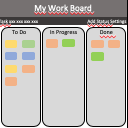
لقطات شاشة التمديد


تحميل ملف CRX للإضافة Chrome Board
قم بتنزيل ملفات الامتداد Chrome Board بتنسيق crx ، وقم بتثبيت الامتدادات يدويًا في متصفح Chrome ، أو شارك ملفات crx مع الأصدقاء لتثبيت الامتدادات بسهولة.
تعليمات استخدام التمديد
                        - Record Positive & Negative Conduct Points during lessons on a virtual 'board'.
- Whenever a point is awarded, the 'board' is shown on your projector for a few seconds.
- If a student gets 3 Negative Points in a Lesson, an email is sent to your school's behavior team (and CC'd to you).
- At the end of a Lesson, a scoreboard is shown on your projector which shows how many points students in this Class have scored so far.
- When it's time to save points into SIMS, Chrome Board groups awarded points together so you can enter the data as efficiently as possible: up to 10x faster than without the app.
معلومات أساسية عن التمديد
| الاسم |  Chrome Board Chrome Board |
| ID | acmlfhajpjeaajhphbhlphejkffffbmo |
| عنوان URL الرسمي | https://chrome.google.com/webstore/detail/chrome-board/acmlfhajpjeaajhphbhlphejkffffbmo |
| الوصف | Simple Behavior Management for Classrooms |
| حجم الملف | 34.36 KB |
| عدد التثبيتات | 84 |
| النسخة الحالية | 1.6 |
| آخر تحديث | 2015-06-08 |
| تاريخ النشر | 2015-06-08 |
| المطور | Edu Mission |
| نوع الدفع | free |
| موقع الإضافة | https://namesonboard.herokuapp.com |
| اللغات المدعومة | en |
| manifest.json | |
{
    "update_url": "https:\/\/clients2.google.com\/service\/update2\/crx",
    "manifest_version": 2,
    "name": "Chrome Board",
    "version": "1.6",
    "icons": {
        "16": "icons\/icon16.png",
        "32": "icons\/icon32.png",
        "48": "icons\/icon48.png",
        "128": "icons\/icon128.png"
    },
    "default_locale": "en",
    "description": "Simple Behavior Management for Classrooms",
    "author": "Edu Mission",
    "background": {
        "page": "background.html",
        "persistent": true
    },
    "content_scripts": [
        {
            "js": [
                "scripts\/contentscript.js"
            ],
            "matches": [
                "https:\/\/namesonboard.herokuapp.com\/*"
            ]
        }
    ],
    "permissions": [
        "tabs",
        "contentSettings",
        "storage",
        "background"
    ],
    "web_accessible_resources": [
        "scripts\/inject.js"
    ]
} | |