Playtext — Text to Speech
Turn Articles into Audio. Read at 3x the speed! ⚡️
ما هو Playtext — Text to Speech؟
Playtext — Text to Speech هو إضافة Chrome تم تطويرها بواسطة https://playtext.app، والميزة الرئيسية لها هي "Turn Articles into Audio. Read at 3x the speed! ⚡️".
لقطات شاشة التمديد
تحميل ملف CRX للإضافة Playtext — Text to Speech
قم بتنزيل ملفات الامتداد Playtext — Text to Speech بتنسيق crx ، وقم بتثبيت الامتدادات يدويًا في متصفح Chrome ، أو شارك ملفات crx مع الأصدقاء لتثبيت الامتدادات بسهولة.
تعليمات استخدام التمديد
                        Play any website!

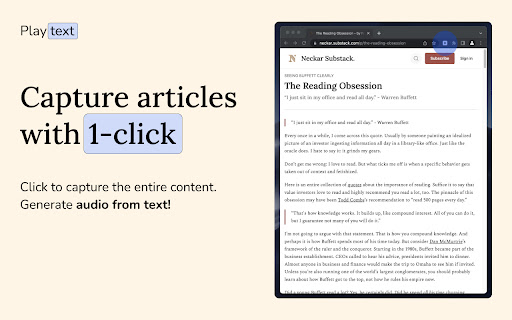
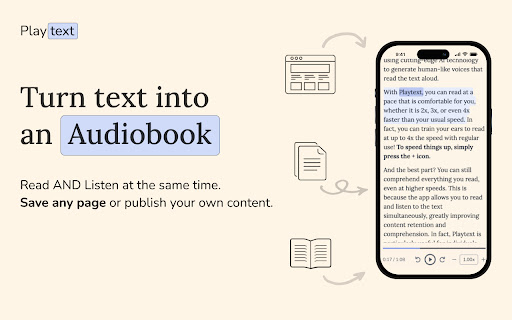
Playtext is a text-to-speech reader, that turns any Articles into Audio using AI-generated voices.

1. Save any Article.
2. Listen at 3x the speed.
3. Make reading your superpower! 💪

—
What can you do with Playtext?

🎧 Text to Audio: Read AND Listen at the same time. Information sticks more in your brain.
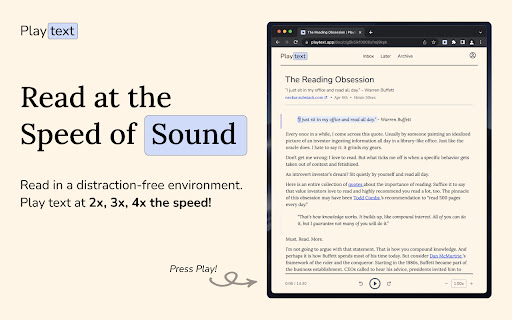
✨ Distraction-free Environment: Designed to help you focus. Free of ads or any clunky UI.
🚀 Read Faster: Increase the speed up to 3x.
💻 Keyboard Shortcuts: Control your reading pace with a keystroke.
🌎 Available in 6 Languages: English, Spanish, Portuguese, German, Italian, and French.
معلومات أساسية عن التمديد
| الاسم |  Playtext — Text to Speech Playtext — Text to Speech |
| ID | ccocbkipkgmgmpjnjnhkhkdojodbbcck |
| عنوان URL الرسمي | https://chromewebstore.google.com/detail/playtext-%E2%80%94-text-to-speech/ccocbkipkgmgmpjnjnhkhkdojodbbcck |
| الوصف | Turn Articles into Audio. Read at 3x the speed! ⚡️ |
| حجم الملف | 65.21 KB |
| عدد التثبيتات | 1,151 |
| النسخة الحالية | 2.0.8 |
| آخر تحديث | 2024-02-06 |
| تاريخ النشر | 2023-04-10 |
| تقييم | 5.00/5 مجموع تقييمات 6 |
| المطور | https://playtext.app |
| البريد الإلكتروني | [email protected] |
| نوع الدفع | free |
| موقع الإضافة | https://playtext.app |
| عنوان صفحة سياسة الخصوصية | https://playtext.app/terms |
| اللغات المدعومة | en |
| manifest.json | |
{
"update_url": "https:\/\/clients2.google.com\/service\/update2\/crx",
"name": "Playtext \u2014 Text to Speech",
"description": "Turn Articles into Audio. Read at 3x the speed! \u26a1\ufe0f",
"version": "2.0.8",
"manifest_version": 3,
"icons": {
"16": "icon.png",
"48": "icon.png",
"128": "icon.png"
},
"action": {
"default_title": "Playtext",
"default_icon": "icon.png"
},
"background": {
"service_worker": "background.js"
},
"content_security_policy": {
"extension_pages": "script-src 'self'; object-src 'self';"
},
"content_scripts": [
{
"matches": [
" | |