Auto Dark Theme for Discord
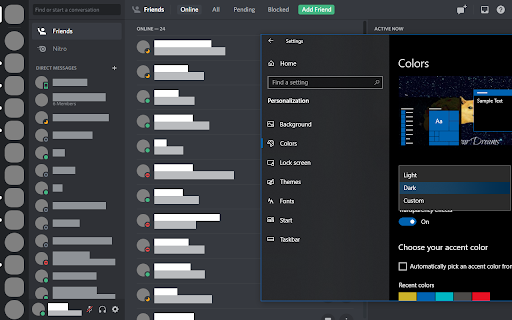
Make Discord automatically match your system's dark/light theme.
ما هو Auto Dark Theme for Discord؟
Auto Dark Theme for Discord هو إضافة Chrome تم تطويرها بواسطة Zachary Yaro، والميزة الرئيسية لها هي "Make Discord automatically match your system's dark/light theme.".
لقطات شاشة التمديد

تحميل ملف CRX للإضافة Auto Dark Theme for Discord
قم بتنزيل ملفات الامتداد Auto Dark Theme for Discord بتنسيق crx ، وقم بتثبيت الامتدادات يدويًا في متصفح Chrome ، أو شارك ملفات crx مع الأصدقاء لتثبيت الامتدادات بسهولة.
تعليمات استخدام التمديد
                        **This extension is now obsolete due to Discord adding the “Sync with computer” option under User Settings → Appearance → Theme.**

Original description:

You can set Discord to have a dark or light theme, but not to have it match your operating system dark/light theme.  This extension matches your Discord theme to your system theme.  It does not modify the theme setting in your Discord profile, so if you use it on multiple devices, it will match each device's system theme.
معلومات أساسية عن التمديد
| الاسم |  Auto Dark Theme for Discord Auto Dark Theme for Discord |
| ID | cgkdheeipiadhlejpoaemnamdjkdooao |
| عنوان URL الرسمي | https://chromewebstore.google.com/detail/auto-dark-theme-for-disco/cgkdheeipiadhlejpoaemnamdjkdooao |
| الوصف | Make Discord automatically match your system's dark/light theme. |
| حجم الملف | 25.21 KB |
| عدد التثبيتات | 75 |
| النسخة الحالية | 1.0 |
| آخر تحديث | 2023-06-13 |
| تاريخ النشر | 2020-09-22 |
| تقييم | 2.00/5 مجموع تقييمات 2 |
| المطور | Zachary Yaro |
| البريد الإلكتروني | [email protected] |
| نوع الدفع | free |
| موقع الإضافة | https://zmyaro.com/extensions/autotheme |
| اللغات المدعومة | en |
| manifest.json | |
{
    "update_url": "https:\/\/clients2.google.com\/service\/update2\/crx",
    "manifest_version": 2,
    "name": "Auto Dark Theme for Discord",
    "version": "1.0",
    "description": "Make Discord automatically match your system's dark\/light theme.",
    "icons": {
        "16": "images\/icon_16.png",
        "32": "images\/icon_32.png",
        "48": "images\/icon_48.png",
        "96": "images\/icon_96.png",
        "128": "images\/icon_128.png",
        "256": "images\/icon_256.png"
    },
    "permissions": [
        "*:\/\/discord.com\/channels\/*",
        "*:\/\/discordapp.com\/channels\/*"
    ],
    "content_scripts": [
        {
            "matches": [
                "*:\/\/discord.com\/channels\/*",
                "*:\/\/discordapp.com\/channels\/*"
            ],
            "js": [
                "content_script.js"
            ]
        }
    ]
} | |