Volume Booster - Amplifier
Move the toggle to manage the sound booster from zero to maximum level. Simply increase volume in a tab with Amplifier
ما هو Volume Booster - Amplifier؟
Volume Booster - Amplifier هو إضافة Chrome تم تطويرها بواسطة Sound Control، والميزة الرئيسية لها هي "Move the toggle to manage the sound booster from zero to maximum level. Simply increase volume in a tab with Amplifier".
لقطات شاشة التمديد

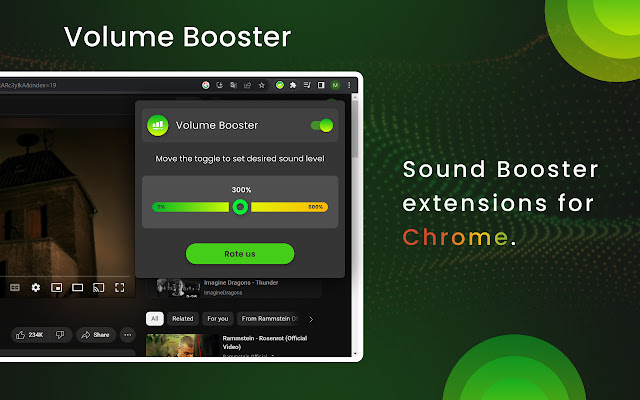
تحميل ملف CRX للإضافة Volume Booster - Amplifier
قم بتنزيل ملفات الامتداد Volume Booster - Amplifier بتنسيق crx ، وقم بتثبيت الامتدادات يدويًا في متصفح Chrome ، أو شارك ملفات crx مع الأصدقاء لتثبيت الامتدادات بسهولة.
تعليمات استخدام التمديد
                        Sound booster is a great way to get the most out of your audio experience. Whether you’re listening to music, watching a movie, or playing a game, having the right volume levels can make a huge difference. Volume booster can be found in a variety of forms, from software programs to hardware devices.

The extension allows to set the sound volume to the maximum level using convenient toggle in the extension's menu. Its functionality makes audio playing louder or quieter depending on the toggle position you set.

Enjoy pure sound with the desired sound level.

Sometimes audio in a tab should be set more or less and the extension makes it easily just using the mouse or touchpad. Audio Amplifier adds new features during the music listening or video watching.

Volume Booster is a free extension with convenient design for everyone.
معلومات أساسية عن التمديد
| الاسم |  Volume Booster - Amplifier Volume Booster - Amplifier |
| ID | edlmpgmjephcpilcajonhemjfjneghpo |
| عنوان URL الرسمي | https://chrome.google.com/webstore/detail/volume-booster/edlmpgmjephcpilcajonhemjfjneghpo |
| الوصف | Move the toggle to manage the sound booster from zero to maximum level. Simply increase volume in a tab with Amplifier |
| حجم الملف | 117 KB |
| عدد التثبيتات | 3,906,311 |
| النسخة الحالية | 2.1.16 |
| آخر تحديث | 2023-04-26 |
| تاريخ النشر | 2022-12-09 |
| تقييم | 4.60/5 مجموع تقييمات 43 |
| المطور | Sound Control |
| البريد الإلكتروني | [email protected] |
| نوع الدفع | free |
| اللغات المدعومة | id,ms,de,en,en-GB,en-US,fil,fr,nl,no,vi,tr,ca,da,et,es,es-419,hr,lv,lt,hu,pl,pt-BR,pt-PT,ro,sk,sl,fi,sv,cs,el,sr,bg,ru,uk,mr,hi,bn,gu,ta,te,ml,th,zh-CN,zh-TW,ja,ko |
| manifest.json | |
{
"update_url": "https:\/\/clients2.google.com\/service\/update2\/crx",
"manifest_version": 3,
"name": "__MSG_app_name__",
"description": "__MSG_app_description__",
"default_locale": "en",
"version": "2.1.16",
"icons": {
"16": "assets\/icon.png",
"32": "assets\/icon.png",
"48": "assets\/icon.png",
"128": "assets\/icon.png"
},
"action": {
"default_icon": {
"19": "assets\/icon.png",
"38": "assets\/icon.png"
},
"default_title": "__MSG_app_name__"
},
"background": {
"service_worker": "data\/worker.js"
},
"content_scripts": [
{
"matches": [
" | |