Twitter Plunger
Bypass blocked Twitter accounts (Unblocker, NOT really!)
ما هو Twitter Plunger؟
Twitter Plunger هو إضافة Chrome تم تطويرها بواسطة http://kaluaim.com، والميزة الرئيسية لها هي "Bypass blocked Twitter accounts (Unblocker, NOT really!)".
لقطات شاشة التمديد
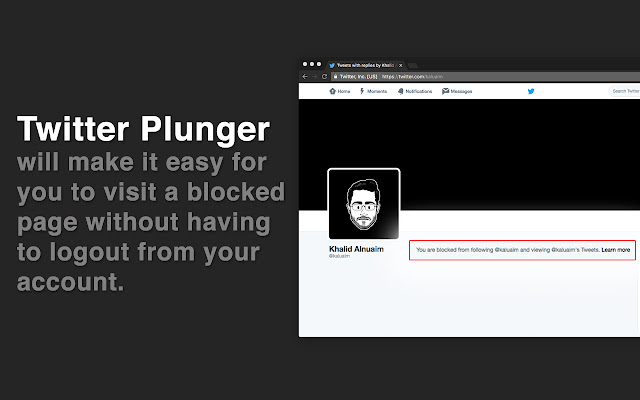

تحميل ملف CRX للإضافة Twitter Plunger
قم بتنزيل ملفات الامتداد Twitter Plunger بتنسيق crx ، وقم بتثبيت الامتدادات يدويًا في متصفح Chrome ، أو شارك ملفات crx مع الأصدقاء لتثبيت الامتدادات بسهولة.
تعليمات استخدام التمديد
                        ## How it's work

The idea is to present the publicly available page for accounts you're blocked from following. By intercepting the request and removing the Cookie from the requestHeaders.


## How to use it:

- Install the plugin.

- Whenever you visit a blocked page the plugin will reload the page with the publicly available page. (IMPORTANT: At this point you're not logged out!!).

- A notification will appear to tell you the status of the plugin, also it will give you the option to return to the blocked page.
معلومات أساسية عن التمديد
| الاسم |  Twitter Plunger Twitter Plunger |
| ID | epekajomamcapaehaogffaekjkfhbgmi |
| عنوان URL الرسمي | https://chrome.google.com/webstore/detail/twitter-plunger/epekajomamcapaehaogffaekjkfhbgmi |
| الوصف | Bypass blocked Twitter accounts (Unblocker, NOT really!) |
| حجم الملف | 61.91 KB |
| عدد التثبيتات | 128 |
| النسخة الحالية | 0.0.1 |
| آخر تحديث | 2016-09-30 |
| تاريخ النشر | 2016-09-30 |
| تقييم | 3.80/5 مجموع تقييمات 5 |
| المطور | http://kaluaim.com |
| البريد الإلكتروني | [email protected] |
| نوع الدفع | free |
| موقع الإضافة | http://kalua.im/projects/TwitterPlunger/ |
| اللغات المدعومة | en |
| manifest.json | |
{
    "update_url": "https:\/\/clients2.google.com\/service\/update2\/crx",
    "manifest_version": 2,
    "name": "Twitter Plunger",
    "description": "Bypass blocked Twitter accounts (Unblocker, NOT really!)",
    "version": "0.0.1",
    "author": "kaluaim",
    "browser_action": {
        "default_icon": "resources\/icon.png"
    },
    "icons": {
        "16": "resources\/icon16.png",
        "48": "resources\/icon48.png",
        "128": "resources\/icon128.png"
    },
    "permissions": [
        "webRequest",
        "webRequestBlocking",
        "storage",
        "*:\/\/twitter.com\/*"
    ],
    "content_scripts": [
        {
            "matches": [
                "*:\/\/twitter.com\/*"
            ],
            "css": [
                "resources\/style.css"
            ],
            "js": [
                "resources\/jquery.js",
                "extension.js"
            ]
        }
    ],
    "web_accessible_resources": [
        "resources\/icon.png"
    ],
    "background": {
        "scripts": [
            "resources\/jquery.js",
            "background.js"
        ],
        "persistent": true
    }
} | |