Block Quora Login Popup
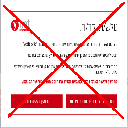
Automatically block the Quora login popup.
ما هو Block Quora Login Popup؟
Block Quora Login Popup هو إضافة Chrome تم تطويرها بواسطة http://niftylettuce.com، والميزة الرئيسية لها هي "Automatically block the Quora login popup.".
لقطات شاشة التمديد

تحميل ملف CRX للإضافة Block Quora Login Popup
قم بتنزيل ملفات الامتداد Block Quora Login Popup بتنسيق crx ، وقم بتثبيت الامتدادات يدويًا في متصفح Chrome ، أو شارك ملفات crx مع الأصدقاء لتثبيت الامتدادات بسهولة.
تعليمات استخدام التمديد
                        This extension automatically removes the annoying login popup at Quora.  If you'd like to still log in, simply click the "Log In" link at the top right of Quora's website.

Please submit any issues to our Github repository page.

Follow @niftylettuce on Twitter for updates.

*************
* CHANGELOG *
*************

0.0.5: fixed blocker to work with ?share=1, added Grunt to compress and reduce extension's package file size considerably

0.0.4: fixed bug for installer

0.0.3: removed jQuery, removal is much faster now, added ?ref=fb add in case you are not redirected from FB it will add/remove the popup and show all content for a hacky workaround

0.0.2: fixed a few bugs

0.0.1: initial release
معلومات أساسية عن التمديد
| الاسم |  Block Quora Login Popup Block Quora Login Popup |
| ID | fkbnfnaikpdihahjljbigedkangbieih |
| عنوان URL الرسمي | https://chrome.google.com/webstore/detail/block-quora-login-popup/fkbnfnaikpdihahjljbigedkangbieih |
| الوصف | Automatically block the Quora login popup. |
| حجم الملف | 11.63 KB |
| عدد التثبيتات | 1,987 |
| النسخة الحالية | 0.0.5 |
| آخر تحديث | 2014-05-09 |
| تاريخ النشر | 2014-05-09 |
| تقييم | 3.60/5 مجموع تقييمات 15 |
| المطور | http://niftylettuce.com |
| نوع الدفع | free |
| موقع الإضافة | https://github.com/niftylettuce/block-quora-login-popup |
| عنوان صفحة المساعدة | https://github.com/niftylettuce/block-quora-login-popup/issues |
| اللغات المدعومة | en-US |
| manifest.json | |
{
    "name": "Block Quora Login Popup",
    "version": "0.0.5",
    "manifest_version": 2,
    "description": "Automatically block the Quora login popup.",
    "homepage_url": "https:\/\/github.com\/niftylettuce\/block-quora-login-popup",
    "icons": {
        "16": "icons\/icon16.png",
        "48": "icons\/icon48.png",
        "128": "icons\/icon128.png"
    },
    "browser_action": {
        "default_title": "Block Quora Login Popup",
        "default_icon": "icons\/icon19.png",
        "default_popup": "src\/popup.html"
    },
    "background": {
        "scripts": [
            "src\/bg\/background.js",
            "src\/bg\/google-analytics.js"
        ],
        "persistent": true
    },
    "update_url": "https:\/\/clients2.google.com\/service\/update2\/crx",
    "content_scripts": [
        {
            "matches": [
                "http:\/\/quora.com\/*",
                "https:\/\/quora.com\/*",
                "http:\/\/www.quora.com\/*",
                "https:\/\/www.quora.com\/*"
            ],
            "js": [
                "src\/inject\/inject.js"
            ]
        }
    ],
    "content_security_policy": "script-src 'self' https:\/\/ssl.google-analytics.com; object-src 'self'",
    "web_accessible_resources": [
        "icons\/icon48.png"
    ]
} | |