Fokus
Emphasized text-highlighting
ما هو Fokus؟
Fokus هو إضافة Chrome تم تطويرها بواسطة hakim.elhattab، والميزة الرئيسية لها هي "Emphasized text-highlighting".
لقطات شاشة التمديد
تحميل ملف CRX للإضافة Fokus
قم بتنزيل ملفات الامتداد Fokus بتنسيق crx ، وقم بتثبيت الامتدادات يدويًا في متصفح Chrome ، أو شارك ملفات crx مع الأصدقاء لتثبيت الامتدادات بسهولة.
تعليمات استخدام التمديد
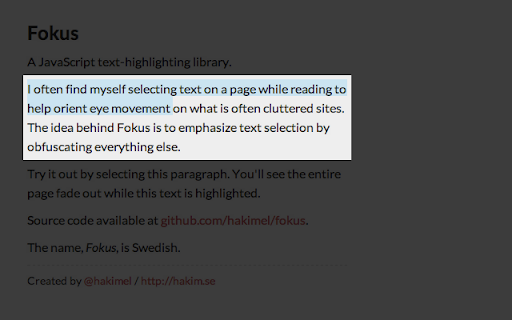
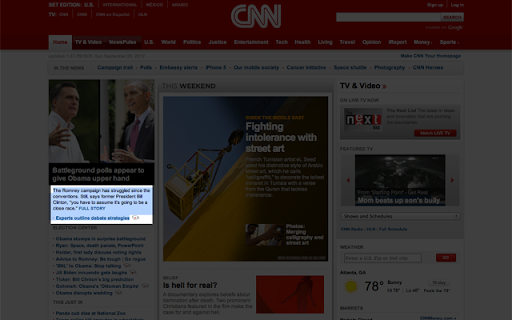
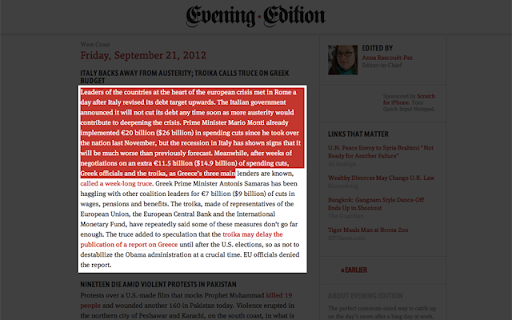
                        Fokus emphasizes anything you select by covering the rest of the page with a semi-transparent black overlay.

You can try it out here http://lab.hakim.se/fokus/ before installing.

The plugin comes with a few options that can be accessed from Chrome's extension listing page. This allows you to:
- Adjust overlay opacity
- Specify a modifier key shift/ctrl/alt/cmd which must be held down to active the overlay
- Adjust the padding around selection
معلومات أساسية عن التمديد
| الاسم |  Fokus Fokus |
| ID | flkkpmjbbpijiedjdgnhkcgopgnflehe |
| عنوان URL الرسمي | https://chromewebstore.google.com/detail/fokus/flkkpmjbbpijiedjdgnhkcgopgnflehe |
| الوصف | Emphasized text-highlighting |
| حجم الملف | 10.25 KB |
| عدد التثبيتات | 1,157 |
| النسخة الحالية | 1.7 |
| آخر تحديث | 2012-09-30 |
| تاريخ النشر | 2012-09-30 |
| تقييم | 4.37/5 مجموع تقييمات 27 |
| المطور | hakim.elhattab |
| نوع الدفع | free |
| موقع الإضافة | http://lab.hakim.se/fokus |
| اللغات المدعومة | en-US |
| manifest.json | |
{
    "update_url": "http:\/\/clients2.google.com\/service\/update2\/crx",
    "name": "Fokus",
    "version": "1.7",
    "manifest_version": 2,
    "description": "Emphasized text-highlighting",
    "icons": {
        "16": "fokus16.png",
        "48": "fokus48.png",
        "128": "fokus128.png"
    },
    "content_scripts": [
        {
            "matches": [
                "http:\/\/*\/*",
                "https:\/\/*\/*"
            ],
            "js": [
                "fokus.min.js"
            ]
        }
    ],
    "options_page": "options.html",
    "permissions": [
        "storage"
    ]
} | |