Videoclipper
Videoclipper
ما هو Videoclipper؟
Videoclipper هو إضافة Chrome تم تطويرها بواسطة CharGPT Sidebar، والميزة الرئيسية لها هي "Videoclipper".
لقطات شاشة التمديد


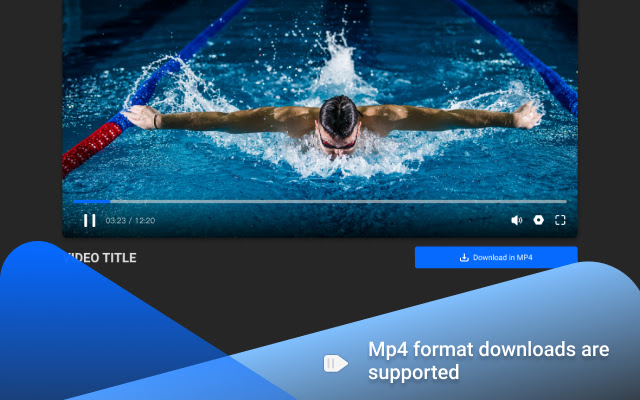
تحميل ملف CRX للإضافة Videoclipper
قم بتنزيل ملفات الامتداد Videoclipper بتنسيق crx ، وقم بتثبيت الامتدادات يدويًا في متصفح Chrome ، أو شارك ملفات crx مع الأصدقاء لتثبيت الامتدادات بسهولة.
تعليمات استخدام التمديد
                        📹It is often necessary to use a large number of video clips when making web videos, however, collecting these fragmented clips is a very troublesome task, to better solve this problem, we designed a tool called🔧video clipper.
✂️Compared with the tools on the market, 🚀it is more convenient web video clipping tool. 🙅It does not require downloading full videos and no additional editing tools, which greatly improves the efficiency.👍
📌Drag the marker to select the clip you want and start clipping it with one click
🎬Support YouTube, more video platforms will be supported later
👁️ Support up to 1080P
🧹Automatically remove ads from videos
🎉Downloading MP4 format
معلومات أساسية عن التمديد
| الاسم |  Videoclipper Videoclipper |
| ID | hidolfcolcjjjmbkjaokbjlliomcjkio |
| عنوان URL الرسمي | https://chrome.google.com/webstore/detail/videoclipper/hidolfcolcjjjmbkjaokbjlliomcjkio |
| الوصف | Videoclipper |
| حجم الملف | 2.69 MB |
| عدد التثبيتات | 87 |
| النسخة الحالية | 1.0 |
| آخر تحديث | 2021-11-29 |
| تاريخ النشر | 2021-11-29 |
| تقييم | 5.00/5 مجموع تقييمات 1 |
| المطور | CharGPT Sidebar |
| البريد الإلكتروني | [email protected] |
| نوع الدفع | free |
| عنوان صفحة سياسة الخصوصية | https://chatgpt-sidebar.com/privacy.html |
| اللغات المدعومة | en-US |
| manifest.json | |
{
"update_url": "https:\/\/clients2.google.com\/service\/update2\/crx",
"name": "Videoclipper",
"version": "1.0",
"manifest_version": 2,
"description": "Videoclipper",
"options_page": "options.html",
"icons": {
"16": "assets\/logo128.png",
"48": "assets\/logo128.png",
"128": "assets\/logo128.png",
"300": "assets\/logo300.png"
},
"background": {
"persistent": true,
"scripts": [
"background.js",
"lib\/video_wasm\/mp4_muxer.js",
"mbg.js"
]
},
"browser_action": {
"default_popup": "popup.html"
},
"permissions": [
"activeTab",
"storage",
"tabs",
"webRequest",
"webRequestBlocking",
" | |