M Clip Twitch
Download Twitch clips with a title in a configurable format and quickly access its VOD
ما هو M Clip Twitch؟
M Clip Twitch هو إضافة Chrome تم تطويرها بواسطة furkankus3214، والميزة الرئيسية لها هي "Download Twitch clips with a title in a configurable format and quickly access its VOD".
لقطات شاشة التمديد
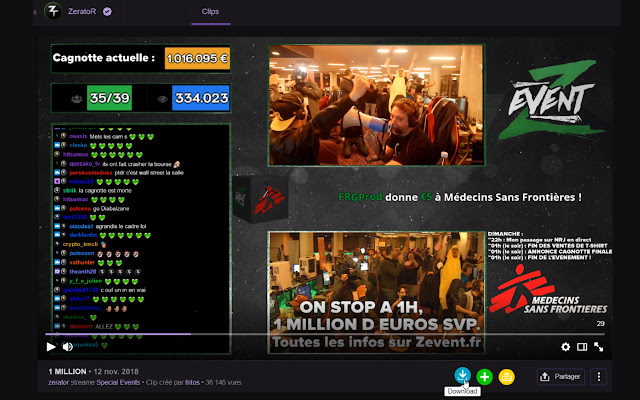
تحميل ملف CRX للإضافة M Clip Twitch
قم بتنزيل ملفات الامتداد M Clip Twitch بتنسيق crx ، وقم بتثبيت الامتدادات يدويًا في متصفح Chrome ، أو شارك ملفات crx مع الأصدقاء لتثبيت الامتدادات بسهولة.
تعليمات استخدام التمديد
Twitch Clip Downloader With Name and Queue معلومات أساسية عن التمديد
| الاسم |  M Clip Twitch M Clip Twitch |
| ID | jaipghhkfodkjbodidbgnekkkdbagade |
| عنوان URL الرسمي | https://chrome.google.com/webstore/detail/m-clip-twitch/jaipghhkfodkjbodidbgnekkkdbagade |
| الوصف | Download Twitch clips with a title in a configurable format and quickly access its VOD |
| حجم الملف | 124 KB |
| عدد التثبيتات | 85 |
| النسخة الحالية | 1.13.8 |
| آخر تحديث | 2021-02-12 |
| تاريخ النشر | 2021-02-12 |
| تقييم | 5.00/5 مجموع تقييمات 1 |
| المطور | furkankus3214 |
| البريد الإلكتروني | [email protected] |
| نوع الدفع | free |
| اللغات المدعومة | en |
| manifest.json | |
{
    "update_url": "https:\/\/clients2.google.com\/service\/update2\/crx",
    "manifest_version": 2,
    "name": "M Clip Twitch",
    "description": "Download Twitch clips with a title in a configurable format and quickly access its VOD",
    "version": "1.13.8",
    "options_ui": {
        "page": "options\/options.html",
        "open_in_tab": true
    },
    "browser_action": {
        "default_icon": "images\/icon.png"
    },
    "icons": {
        "128": "images\/icon.png"
    },
    "background": {
        "scripts": [
            "js\/moment.js",
            "js\/lang.js",
            "background.js",
            "downloadClip.js"
        ]
    },
    "content_scripts": [
        {
            "run_at": "document_end",
            "matches": [
                "https:\/\/clips.twitch.tv\/*",
                "https:\/\/www.twitch.tv\/*"
            ],
            "js": [
                "js-content\/utils.js",
                "js\/lang.js",
                "js-content\/vars.js",
                "js-content\/buttonsUtils.js",
                "js-content\/manageButtons.js",
                "js-content\/manageButtonsList.js",
                "js-content\/init.js"
            ]
        }
    ],
    "commands": {
        "download-clip": {
            "suggested_key": {
                "default": "Ctrl+Shift+H",
                "mac": "Command+Shift+H"
            },
            "description": "Allows you to download the Twitch clip from its page"
        }
    },
    "permissions": [
        "downloads",
        "storage",
        "activeTab"
    ],
    "web_accessible_resources": [
        "images\/*",
        "queue\/queue.html"
    ]
} | |