Zelda HD New Tabs Popular Games Themes
Every time you open a new tab, you will get a different HD wallpaper from Zelda. This new theme includes clock and more.
ما هو Zelda HD New Tabs Popular Games Themes؟
Zelda HD New Tabs Popular Games Themes هو إضافة Chrome تم تطويرها بواسطة http://mytab.me، والميزة الرئيسية لها هي "Every time you open a new tab, you will get a different HD wallpaper from Zelda. This new theme includes clock and more.".
لقطات شاشة التمديد

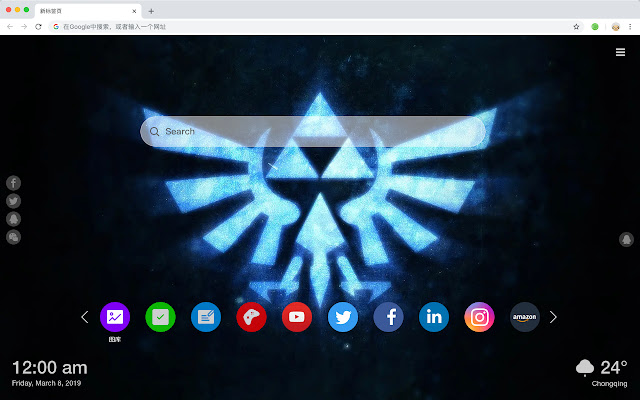

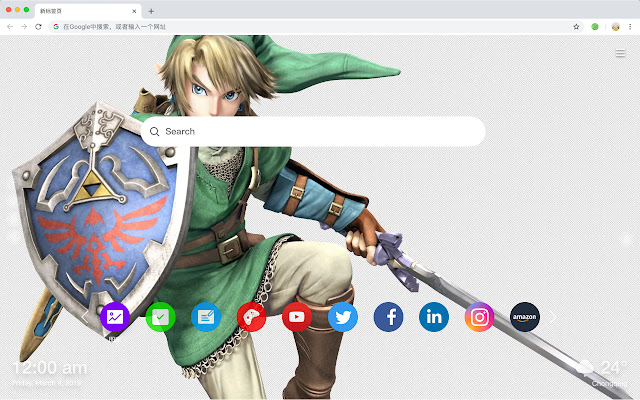
تحميل ملف CRX للإضافة Zelda HD New Tabs Popular Games Themes
قم بتنزيل ملفات الامتداد Zelda HD New Tabs Popular Games Themes بتنسيق crx ، وقم بتثبيت الامتدادات يدويًا في متصفح Chrome ، أو شارك ملفات crx مع الأصدقاء لتثبيت الامتدادات بسهولة.
تعليمات استخدام التمديد
                        Here's a list of other features you'll get:
 - To-do list
 - Set your favorite wallpapers
 - Discover new hot spots
 - Bookmarks
 - Social network notifications
 - High quality wallpaper for each new label
 - Clock showing date and time
 - Weather widget
 - Open to search
معلومات أساسية عن التمديد
| الاسم |  Zelda HD New Tabs Popular Games Themes Zelda HD New Tabs Popular Games Themes |
| ID | jhdjjnnpfkgcmdochamaekfebjaicfki |
| عنوان URL الرسمي | https://chrome.google.com/webstore/detail/zelda-hd-new-tabs-popular/jhdjjnnpfkgcmdochamaekfebjaicfki |
| الوصف | Every time you open a new tab, you will get a different HD wallpaper from Zelda. This new theme includes clock and more. |
| حجم الملف | 40.82 KB |
| عدد التثبيتات | 20 |
| النسخة الحالية | 1.1.1.0 |
| آخر تحديث | 2019-06-25 |
| تاريخ النشر | 2019-06-25 |
| المطور | http://mytab.me |
| نوع الدفع | free |
| اللغات المدعومة | en,zh-CN,zh-TW |
| manifest.json | |
{
    "name": "__MSG_ext_name__",
    "manifest_version": 2,
    "description": "__MSG_ext_desc__",
    "browser_action": {
        "default_icon": {
            "48": "icons\/48.png"
        },
        "default_title": "__MSG_ext_name__"
    },
    "chrome_url_overrides": {
        "newtab": "pages\/newtab\/index.html"
    },
    "background": {
        "scripts": [
            "app.js",
            "pages\/background\/index.js"
        ],
        "persistent": false
    },
    "default_locale": "en",
    "icons": {
        "48": "icons\/48.png",
        "128": "icons\/128.png"
    },
    "minimum_chrome_version": "57",
    "offline_enabled": true,
    "update_url": "https:\/\/clients2.google.com\/service\/update2\/crx",
    "version": "1.1.1.0"
} | |