Chromatik Downloader
Saves Chromatik sheet music.
ما هو Chromatik Downloader؟
Chromatik Downloader هو إضافة Chrome تم تطويرها بواسطة http://jlisoft.com، والميزة الرئيسية لها هي "Saves Chromatik sheet music.".
لقطات شاشة التمديد
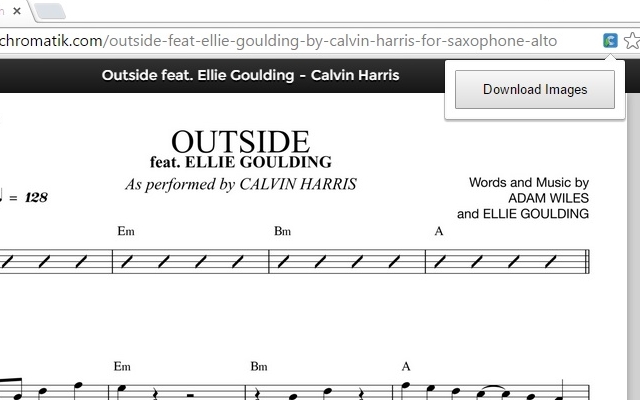

تحميل ملف CRX للإضافة Chromatik Downloader
قم بتنزيل ملفات الامتداد Chromatik Downloader بتنسيق crx ، وقم بتثبيت الامتدادات يدويًا في متصفح Chrome ، أو شارك ملفات crx مع الأصدقاء لتثبيت الامتدادات بسهولة.
تعليمات استخدام التمديد
                        Download sheet music from Chromatik. On any page with sheets on it, the page action button will appear. Click on it, and you will be prompted to download. Sheets will be downloaded in individual .jpg files.

*KNOWN BUGS*:
Single page sheets download without an extension on file name. To fix, rename and add .jpg to the end. It's a problem on Chromatik's end, not my program.
معلومات أساسية عن التمديد
| الاسم |  Chromatik Downloader Chromatik Downloader |
| ID | kijkjelggmajefkniipimpahldgfblpe |
| عنوان URL الرسمي | https://chrome.google.com/webstore/detail/chromatik-downloader/kijkjelggmajefkniipimpahldgfblpe |
| الوصف | Saves Chromatik sheet music. |
| حجم الملف | 21.7 KB |
| عدد التثبيتات | 123 |
| النسخة الحالية | 1.22 |
| آخر تحديث | 2015-08-30 |
| تاريخ النشر | 2015-08-30 |
| تقييم | 1.80/5 مجموع تقييمات 5 |
| المطور | http://jlisoft.com |
| البريد الإلكتروني | [email protected] |
| نوع الدفع | free |
| اللغات المدعومة | en |
| manifest.json | |
{
    "update_url": "https:\/\/clients2.google.com\/service\/update2\/crx",
    "background": {
        "scripts": [
            "background.js"
        ],
        "persistent": false
    },
    "page_action": {
        "default_name": "Download the current sheets as PNG files.",
        "default_icon": "img\/chromatik_48.png",
        "default_popup": "popup.html"
    },
    "description": "Saves Chromatik sheet music.",
    "icons": {
        "16": "img\/chromatik_16.png",
        "48": "img\/chromatik_48.png",
        "128": "img\/chromatik_128.png"
    },
    "manifest_version": 2,
    "name": "Chromatik Downloader",
    "permissions": [
        "*:\/\/*\/*",
        "tabs"
    ],
    "version": "1.22",
    "content_security_policy": "script-src 'self' https:\/\/mrrio.github.io https:\/\/ajax.googleapis.com; object-src 'self'; img-src https:\/\/www.chromatik.com https:\/\/chromatik-secured-content.s3.amazonaws.com"
} | |

![[J2TeaM] HQ Mp3 Downloader](https://lh3.googleusercontent.com/b1jGZsMIhqfqS3qEXA6khJy9YeBxFq0mYX8foRPMEfYGP9uV6HgOAsrbCRXTD6BANA85raE6pkS0_SWg1p6wUCaa=w128-h128-e365-rj-sc0x00ffffff)