Cisco Network Setup Assistant
Cisco Network Setup Assistant is used to connect devices securely to networks utilizing Cisco Identity Services Engine.
ما هو Cisco Network Setup Assistant؟
Cisco Network Setup Assistant هو إضافة Chrome تم تطويرها بواسطة Cisco Systems, Inc.، والميزة الرئيسية لها هي "Cisco Network Setup Assistant is used to connect devices securely to networks utilizing Cisco Identity Services Engine.".
لقطات شاشة التمديد
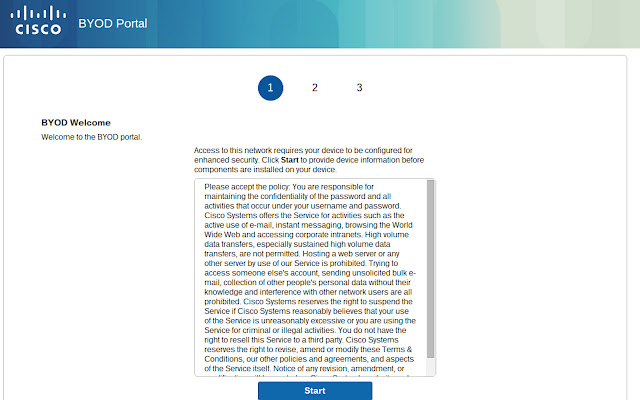

تحميل ملف CRX للإضافة Cisco Network Setup Assistant
قم بتنزيل ملفات الامتداد Cisco Network Setup Assistant بتنسيق crx ، وقم بتثبيت الامتدادات يدويًا في متصفح Chrome ، أو شارك ملفات crx مع الأصدقاء لتثبيت الامتدادات بسهولة.
تعليمات استخدام التمديد
NOTE: Do not install this extension from the web store. If this extension is required, it will be automatically installed on your Chromebook by the network administrator. If you have a problem accessing the network - contact your helpdesk or network administrator. معلومات أساسية عن التمديد
| الاسم |  Cisco Network Setup Assistant Cisco Network Setup Assistant |
| ID | ldlfakmjimohnhnpgnjmjkdnaiegiebg |
| عنوان URL الرسمي | https://chrome.google.com/webstore/detail/cisco-network-setup-assis/ldlfakmjimohnhnpgnjmjkdnaiegiebg |
| الوصف | Cisco Network Setup Assistant is used to connect devices securely to networks utilizing Cisco Identity Services Engine. |
| حجم الملف | 223 KB |
| عدد التثبيتات | 50,000 |
| النسخة الحالية | 2.1.0.35 |
| آخر تحديث | 2016-05-18 |
| تاريخ النشر | 2016-05-18 |
| تقييم | 3.27/5 مجموع تقييمات 22 |
| المطور | Cisco Systems, Inc. |
| نوع الدفع | free |
| اللغات المدعومة | de,en,fr,nl,es,it,hu,pl,pt-BR,cs,ru,zh-CN,zh-TW,ja,ko |
| manifest.json | |
{
    "update_url": "https:\/\/clients2.google.com\/service\/update2\/crx",
    "manifest_version": 2,
    "name": "__MSG_app_name__",
    "storage": {
        "managed_schema": "schema.json"
    },
    "description": "__MSG_app_description__",
    "icons": {
        "128": "image\/ise48.png"
    },
    "version": "2.1.0.35",
    "default_locale": "en",
    "content_scripts": [
        {
            "matches": [
                "https:\/\/*\/portal\/*"
            ],
            "js": [
                "content_script.js"
            ],
            "css": [
                "style\/ChromeBYOD.css"
            ],
            "run_at": "document_start"
        }
    ],
    "background": {
        "scripts": [
            "forge.bundle.js",
            "onboarding.js",
            "popupUtils.js"
        ],
        "persistent": false
    },
    "permissions": [
        "identity",
        "tabs",
        "storage",
        "fileSystem",
        "enterprise.platformKeys",
        "https:\/\/www.google.com"
    ],
    "web_accessible_resources": [
        "\/image\/*.png"
    ]
} | |