NTUWLogin Bot
This extension helps you login to the NTUWL wireless network automatically.
ما هو NTUWLogin Bot؟
NTUWLogin Bot هو إضافة Chrome تم تطويرها بواسطة Jianfeng، والميزة الرئيسية لها هي "This extension helps you login to the NTUWL wireless network automatically.".
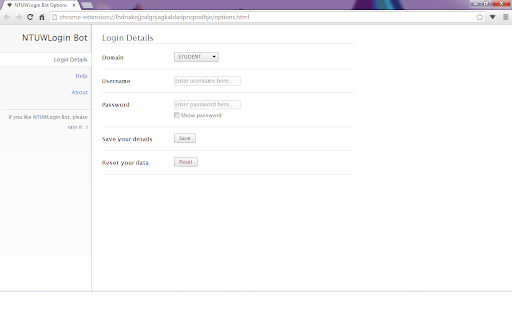
لقطات شاشة التمديد


تحميل ملف CRX للإضافة NTUWLogin Bot
قم بتنزيل ملفات الامتداد NTUWLogin Bot بتنسيق crx ، وقم بتثبيت الامتدادات يدويًا في متصفح Chrome ، أو شارك ملفات crx مع الأصدقاء لتثبيت الامتدادات بسهولة.
تعليمات استخدام التمديد
                        This tiny extension helps you use the NTUWL wireless network in a very convenient way.

Update in 1.2.1. Suggestions for feedback is added to About page.

Update in 1.2.0. Log in address modified to be able to work for more situations.  For example, It will work with wifi near Chinese Library, too.

Every time you are redirected to the login page of NTUWL, NTUWLogin Bot will automatically fill in the form, login for you, and redirect you back.

Just fill in your login details in the options and let NTUWLogin Bot help you.

Btw, NTUWLogin Bot will definitely NOT store your personal information. All your data will be store locally on your computer.
معلومات أساسية عن التمديد
| الاسم |  NTUWLogin Bot NTUWLogin Bot |
| ID | lhdnakojjcalgnjagkaldadpncpodhje |
| عنوان URL الرسمي | https://chromewebstore.google.com/detail/ntuwlogin-bot/lhdnakojjcalgnjagkaldadpncpodhje |
| الوصف | This extension helps you login to the NTUWL wireless network automatically. |
| حجم الملف | 54.62 KB |
| عدد التثبيتات | 111 |
| النسخة الحالية | 1.2.1 |
| آخر تحديث | 2014-06-07 |
| تاريخ النشر | 2014-06-06 |
| تقييم | 4.57/5 مجموع تقييمات 7 |
| المطور | Jianfeng |
| نوع الدفع | free |
| اللغات المدعومة | en |
| manifest.json | |
{
    "update_url": "https:\/\/clients2.google.com\/service\/update2\/crx",
    "manifest_version": 2,
    "name": "NTUWLogin Bot",
    "description": "This extension helps you login to the NTUWL wireless network automatically.",
    "version": "1.2.1",
    "background": {
        "scripts": [
            "js\/background.js"
        ],
        "persistent": false
    },
    "permissions": [
        "http:\/\/*\/*",
        "https:\/\/*\/*",
        "webNavigation",
        "tabs"
    ],
    "options_page": "options.html",
    "icons": {
        "48": "images\/icon-48.png",
        "128": "images\/icon-128.png"
    },
    "browser_action": {
        "default_icon": {
            "19": "images\/icon-19.png",
            "38": "images\/icon-38.png"
        },
        "default_popup": "popup.html"
    }
} | |