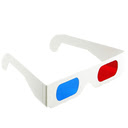
Anaglyphic
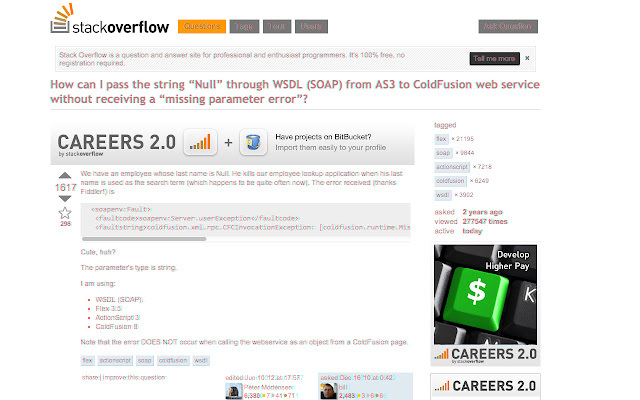
This extension will transform any website into a 3d anaglyph. Simply click the 3d glasses and let the extension do its magic.
ما هو Anaglyphic؟
Anaglyphic هو إضافة Chrome تم تطويرها بواسطة Dan Reed، والميزة الرئيسية لها هي "This extension will transform any website into a 3d anaglyph. Simply click the 3d glasses and let the extension do its magic.".
لقطات شاشة التمديد
تحميل ملف CRX للإضافة Anaglyphic
قم بتنزيل ملفات الامتداد Anaglyphic بتنسيق crx ، وقم بتثبيت الامتدادات يدويًا في متصفح Chrome ، أو شارك ملفات crx مع الأصدقاء لتثبيت الامتدادات بسهولة.
تعليمات استخدام التمديد
                        Are your internets too flat? Are you bored? Do you have some red/blue 3d glasses? Fantastic!

With this chrome extension, all your problems have been solved! With the click of a button, transform the text on any website into a 3d map -- see what the coders and the man don't want you to see. You'll be just like Rowdy Roddy Piper in that movie with the skull aliens where he's got the cool sunglasses. You've seen it, right?

IMAGINE HOW MANY PEOPLE YOU ARE ABOUT TO IMPRESS.

Download today and YOU COULD SAVE YOUR OWN LIFE.
معلومات أساسية عن التمديد
| الاسم |  Anaglyphic Anaglyphic |
| ID | ljibdnhgcmokiamcmjfompnkebpkfolg |
| عنوان URL الرسمي | https://chrome.google.com/webstore/detail/anaglyphic/ljibdnhgcmokiamcmjfompnkebpkfolg |
| الوصف | This extension will transform any website into a 3d anaglyph. Simply click the 3d glasses and let the extension do its magic. |
| حجم الملف | 156 KB |
| عدد التثبيتات | 364 |
| النسخة الحالية | 0.1 |
| آخر تحديث | 2013-08-02 |
| تاريخ النشر | 2013-08-02 |
| تقييم | 3.12/5 مجموع تقييمات 25 |
| المطور | Dan Reed |
| نوع الدفع | free |
| اللغات المدعومة | en-US |
| manifest.json | |
{
    "update_url": "https:\/\/clients2.google.com\/service\/update2\/crx",
    "manifest_version": 2,
    "name": "Anaglyphic",
    "description": "This extension will transform any website into a 3d anaglyph. Simply click the 3d glasses and let the extension do its magic.",
    "version": "0.1",
    "background": {
        "scripts": [
            "background.js"
        ]
    },
    "web_accessible_resources": [
        "javascript\/anaglyphic.js",
        "javascript\/third_party\/jquery.min.js",
        "javascript\/third_party\/html2canvas.js"
    ],
    "icons": {
        "16": "images\/icon16.png",
        "48": "images\/icon48.png",
        "128": "images\/icon128.png"
    },
    "permissions": [
        "http:\/\/*\/*",
        "https:\/\/*\/*",
        "tabs"
    ],
    "browser_action": {
        "default_icon": "images\/icon19.png"
    },
    "content_scripts": [
        {
            "matches": [
                "http:\/\/*\/*",
                "https:\/\/*\/*"
            ],
            "css": [
                "stylesheets\/anaglyphic.css"
            ]
        }
    ]
} | |