Man in the Middle
Modify requests, inject JavaScript and CSS into pages.
ما هو Man in the Middle؟
Man in the Middle هو إضافة Chrome تم تطويرها بواسطة Hoang، والميزة الرئيسية لها هي "Modify requests, inject JavaScript and CSS into pages.".
لقطات شاشة التمديد
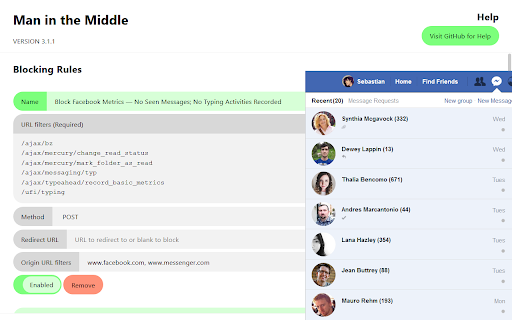
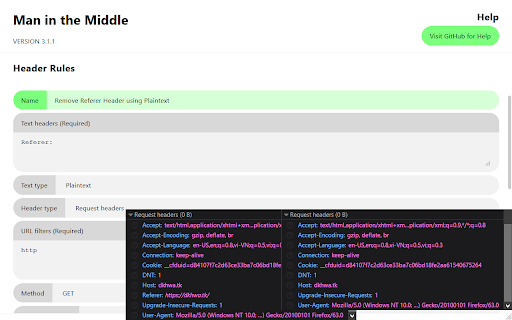

تحميل ملف CRX للإضافة Man in the Middle
قم بتنزيل ملفات الامتداد Man in the Middle بتنسيق crx ، وقم بتثبيت الامتدادات يدويًا في متصفح Chrome ، أو شارك ملفات crx مع الأصدقاء لتثبيت الامتدادات بسهولة.
تعليمات استخدام التمديد
                        IMPORTANT NOTE: This is a compatible version of the extension Man in the Middle for Firefox. Some features won't work in this version for Chrome. See https://github.com/dangkyokhoang/Man-in-the-Middle/projects/1#card-15622712 for more.

Use cases:
- Block or redirect websites and requests;
- Add, modify or remove request and response headers;
- Inject JavaScript into pages to make them function as desired;
- Inject CSS into pages to style them as desired.

Visit https://github.com/dangkyokhoang/Man-in-the-Middle for more details.
معلومات أساسية عن التمديد
| الاسم |  Man in the Middle Man in the Middle |
| ID | mfgcopdhimkemcnlhkohjbdjgahmagil |
| عنوان URL الرسمي | https://chromewebstore.google.com/detail/man-in-the-middle/mfgcopdhimkemcnlhkohjbdjgahmagil |
| الوصف | Modify requests, inject JavaScript and CSS into pages. |
| حجم الملف | 40.41 KB |
| عدد التثبيتات | 829 |
| النسخة الحالية | 3.2.2 |
| آخر تحديث | 2022-03-02 |
| تاريخ النشر | 2018-12-14 |
| تقييم | 5.00/5 مجموع تقييمات 1 |
| المطور | Hoang |
| البريد الإلكتروني | [email protected] |
| نوع الدفع | free |
| موقع الإضافة | https://github.com/dangkyokhoang/man-in-the-middle |
| عنوان صفحة المساعدة | https://github.com/dangkyokhoang/man-in-the-middle |
| عنوان صفحة سياسة الخصوصية | https://dangkyokhoang.github.io/privacy-policy/browser-extension |
| اللغات المدعومة | en |
| manifest.json | |
{
"update_url": "https:\/\/clients2.google.com\/service\/update2\/crx",
"manifest_version": 2,
"name": "Man in the Middle",
"version": "3.2.2",
"description": "Modify requests, inject JavaScript and CSS into pages.",
"permissions": [
" | |