Notely
Making notes simple, organized and always within reach.
ما هو Notely؟
Notely هو إضافة Chrome تم تطويرها بواسطة Notely، والميزة الرئيسية لها هي "Making notes simple, organized and always within reach.".
لقطات شاشة التمديد

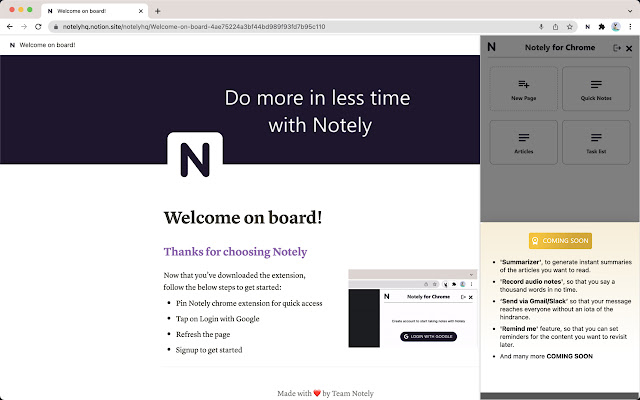
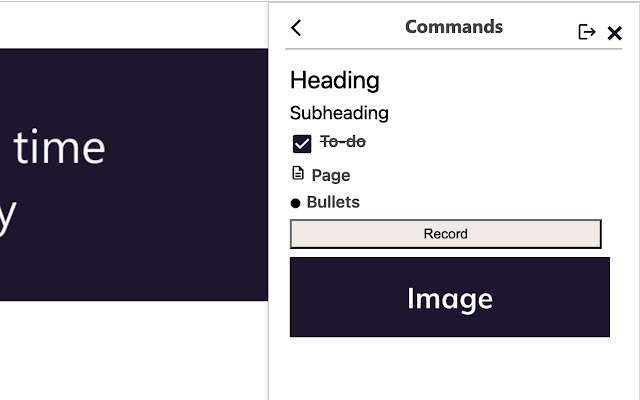
تحميل ملف CRX للإضافة Notely
قم بتنزيل ملفات الامتداد Notely بتنسيق crx ، وقم بتثبيت الامتدادات يدويًا في متصفح Chrome ، أو شارك ملفات crx مع الأصدقاء لتثبيت الامتدادات بسهولة.
تعليمات استخدام التمديد
                        Notely - Quick, Easy, and Smooth note-taking process for you inside browser. Its card and page layout let you arrange content in the way you want; so that you keep noting without having to worry about the number of notes.

With Notely you can easily:
 - Easily take notes while browsing or attending any meeting.
 - Save important points directly to your notes with highlight and click.
 - Get short summaries of any article into your dashboard. (Still in beta :p)
 - Record and playback audio notes
 - Arrange notes as per your convenience with the page feature
معلومات أساسية عن التمديد
| الاسم |  Notely Notely |
| ID | ndfellgifkedknkiplelpkplcdobnabp |
| عنوان URL الرسمي | https://chrome.google.com/webstore/detail/notely/ndfellgifkedknkiplelpkplcdobnabp |
| الوصف | Making notes simple, organized and always within reach. |
| حجم الملف | 1 MB |
| عدد التثبيتات | 95 |
| النسخة الحالية | 0.2.1 |
| آخر تحديث | 2022-02-02 |
| تاريخ النشر | 2022-01-20 |
| تقييم | 5.00/5 مجموع تقييمات 4 |
| المطور | Notely |
| البريد الإلكتروني | [email protected] |
| نوع الدفع | free |
| موقع الإضافة | https://notely.in |
| عنوان صفحة المساعدة | https://forms.gle/VnieuoUety2yGsas5 |
| عنوان صفحة سياسة الخصوصية | https://notely.in/policy.html |
| اللغات المدعومة | en |
| manifest.json | |
{
"update_url": "https:\/\/clients2.google.com\/service\/update2\/crx",
"name": "Notely",
"author": "Gaurav",
"description": "Making notes simple, organized and always within reach.",
"version": "0.2.1",
"content_scripts": [
{
"matches": [
" | |