Ledavio Image Importer
This extension imports images into Ledavio moodboards
ما هو Ledavio Image Importer؟
Ledavio Image Importer هو إضافة Chrome تم تطويرها بواسطة https://www.ledavio.design، والميزة الرئيسية لها هي "This extension imports images into Ledavio moodboards".
لقطات شاشة التمديد

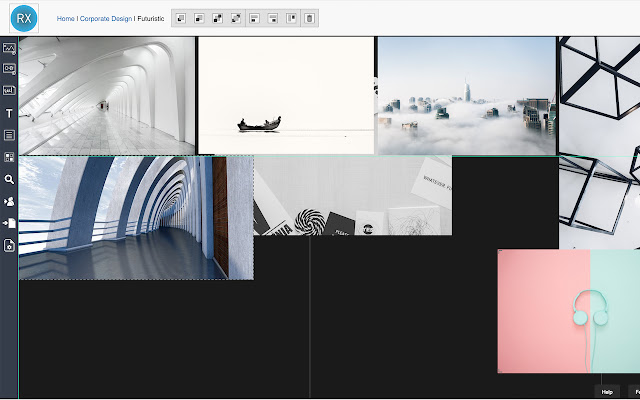
تحميل ملف CRX للإضافة Ledavio Image Importer
قم بتنزيل ملفات الامتداد Ledavio Image Importer بتنسيق crx ، وقم بتثبيت الامتدادات يدويًا في متصفح Chrome ، أو شارك ملفات crx مع الأصدقاء لتثبيت الامتدادات بسهولة.
تعليمات استخدام التمديد
If you are using Ledavio (www.ledavio.design) for creating mood boards, you can use this extension to directly import all images from any website into your mood boards. After installing, you just login into your Ledavio account by clicking on the Ledavio logo in the Chrome extension bar (right beside the URL input bar). After choosing a default board images can be inserted via the context menu (right click on the image). معلومات أساسية عن التمديد
| الاسم |  Ledavio Image Importer Ledavio Image Importer |
| ID | nimlecnggbdphegpojjbilocfeonnenl |
| عنوان URL الرسمي | https://chrome.google.com/webstore/detail/ledavio-image-importer/nimlecnggbdphegpojjbilocfeonnenl |
| الوصف | This extension imports images into Ledavio moodboards |
| حجم الملف | 58.82 KB |
| عدد التثبيتات | 34 |
| النسخة الحالية | 1.2.0 |
| آخر تحديث | 2020-07-09 |
| تاريخ النشر | 2019-04-02 |
| المطور | https://www.ledavio.design |
| البريد الإلكتروني | [email protected] |
| نوع الدفع | free |
| عنوان صفحة سياسة الخصوصية | https://ledavio.design/privacy-policy |
| اللغات المدعومة | en-US |
| manifest.json | |
{
    "update_url": "https:\/\/clients2.google.com\/service\/update2\/crx",
    "name": "Ledavio Image Importer",
    "version": "1.2.0",
    "description": "This extension imports images into Ledavio moodboards",
    "manifest_version": 2,
    "icons": {
        "128": "icon_128.png"
    },
    "browser_action": {
        "default_icon": "icon.png",
        "default_popup": "popup.html"
    },
    "permissions": [
        "declarativeContent",
        "storage",
        "contextMenus",
        "https:\/\/*\/",
        "http:\/\/*\/"
    ],
    "background": {
        "scripts": [
            "config.js",
            "background.js"
        ]
    }
} | |