Disney+ Hotstar's Subtitle Editor
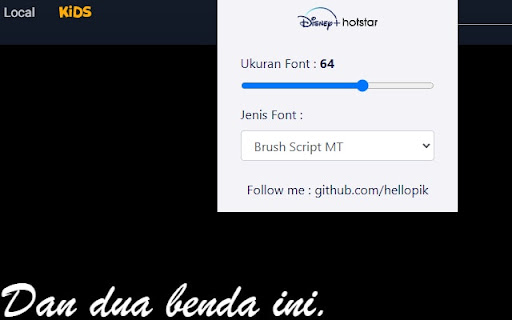
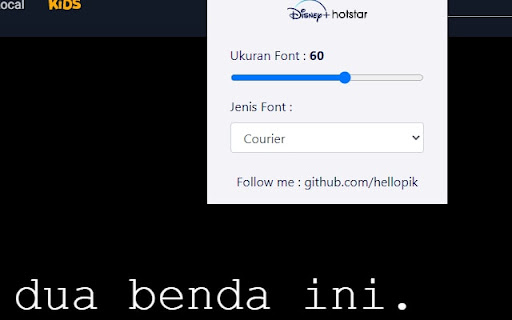
Chrome Extension to Edit Disney+ Hotstar's Subtitle Font, both the size and font-family. For those whose watching their hotstar…
ما هو Disney+ Hotstar's Subtitle Editor؟
Disney+ Hotstar's Subtitle Editor هو إضافة Chrome تم تطويرها بواسطة kakigede، والميزة الرئيسية لها هي "Chrome Extension to Edit Disney+ Hotstar's Subtitle Font, both the size and font-family. For those whose watching their hotstar…".
لقطات شاشة التمديد
تحميل ملف CRX للإضافة Disney+ Hotstar's Subtitle Editor
قم بتنزيل ملفات الامتداد Disney+ Hotstar's Subtitle Editor بتنسيق crx ، وقم بتثبيت الامتدادات يدويًا في متصفح Chrome ، أو شارك ملفات crx مع الأصدقاء لتثبيت الامتدادات بسهولة.
تعليمات استخدام التمديد
                        Chrome Extension to Edit Disney+ Hotstar's Subtitle Font, both the size and font-family.

For those whose watching their hotstar in their television via hdmi cable and experiencing a little incovenience because of the default subtitle are too small, this is the extension for you.
معلومات أساسية عن التمديد
| الاسم |  Disney+ Hotstar's Subtitle Editor Disney+ Hotstar's Subtitle Editor |
| ID | npmapkgiaadjbidljilohekhlgakilim |
| عنوان URL الرسمي | https://chromewebstore.google.com/detail/disney+-hotstars-subtitle/npmapkgiaadjbidljilohekhlgakilim |
| الوصف | Chrome Extension to Edit Disney+ Hotstar's Subtitle Font, both the size and font-family. For those whose watching their hotstar… |
| حجم الملف | 12.41 KB |
| عدد التثبيتات | 3,040 |
| النسخة الحالية | 1.1 |
| آخر تحديث | 2021-07-03 |
| تاريخ النشر | 2020-12-28 |
| تقييم | 3.53/5 مجموع تقييمات 15 |
| المطور | kakigede |
| البريد الإلكتروني | [email protected] |
| نوع الدفع | free |
| موقع الإضافة | https://github.com/hellopik |
| اللغات المدعومة | en |
| manifest.json | |
{
    "update_url": "https:\/\/clients2.google.com\/service\/update2\/crx",
    "name": "Disney+ Hotstar's Subtitle Editor",
    "version": "1.1",
    "description": "",
    "permissions": [
        "activeTab",
        "declarativeContent"
    ],
    "options_page": "options.html",
    "background": {
        "scripts": [
            "background.js"
        ],
        "persistent": false
    },
    "page_action": {
        "default_popup": "popup.html",
        "default_icon": {
            "16": "images\/get_started16.png",
            "32": "images\/get_started32.png",
            "48": "images\/get_started48.png",
            "128": "images\/get_started128.png"
        }
    },
    "icons": {
        "16": "images\/get_started16.png",
        "32": "images\/get_started32.png",
        "48": "images\/get_started48.png",
        "128": "images\/get_started128.png"
    },
    "manifest_version": 2
} | |