Manilla - Auto Login
Manilla Auto Login
ما هو Manilla - Auto Login؟
Manilla - Auto Login هو إضافة Chrome تم تطويرها بواسطة https://manilla.com، والميزة الرئيسية لها هي "Manilla Auto Login".
لقطات شاشة التمديد


تحميل ملف CRX للإضافة Manilla - Auto Login
قم بتنزيل ملفات الامتداد Manilla - Auto Login بتنسيق crx ، وقم بتثبيت الامتدادات يدويًا في متصفح Chrome ، أو شارك ملفات crx مع الأصدقاء لتثبيت الامتدادات بسهولة.
تعليمات استخدام التمديد
                        Overview
To use the Auto Login extension, you will need to have a Manilla account. Sign up at http://www.manilla.com.

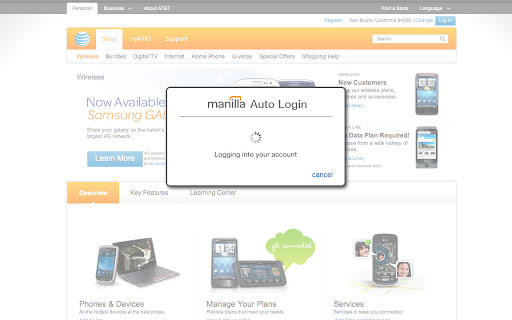
The Manilla Auto Login extension allows you to seamlessly access some linked accounts without entering a password, making it even faster and easier to manage all of your accounts. Once you've installed it, just click the "pay bill" or "go to site" button from an account page.

The Auto Login extension is available for the Chrome, Firefox, Internet Explorer, and Safari browsers. Mobile browsers such as iOS and Android are not supported. The extension must be installed separately for each browser and computer on which you use Manilla.

Security
Your login information is communicated securely to the Auto Login extension using AES 256-bit encryption (the strongest version of a standard endorsed by the National Institute of Standards and Technology). None of your information is stored in the Auto Login extension itself. The Auto Login extension is not recommended for use with public computers.
معلومات أساسية عن التمديد
| الاسم |  Manilla - Auto Login Manilla - Auto Login |
| ID | ofnmjkalkfignhmkhohdaipkbcchbmca |
| عنوان URL الرسمي | https://chromewebstore.google.com/detail/manilla-auto-login/ofnmjkalkfignhmkhohdaipkbcchbmca |
| الوصف | Manilla Auto Login |
| حجم الملف | 2.4 MB |
| عدد التثبيتات | 3,779 |
| النسخة الحالية | 2.0.28 |
| آخر تحديث | 2013-09-12 |
| تاريخ النشر | 2013-09-11 |
| تقييم | 3.45/5 مجموع تقييمات 11 |
| المطور | https://manilla.com |
| نوع الدفع | free |
| موقع الإضافة | http://www.manilla.com/ |
| عنوان صفحة المساعدة | https://www.manilla.com/what-is-manilla/faq/ |
| اللغات المدعومة | id,ms,de,en-GB,en-US,fr,nl,vi,tr,ca,da,et,es,es-419,hr,it,lv,lt,hu,pl,pt-BR,pt-PT,ro,sk,sl,fi,sv,cs,el,sr,bg,ru,uk,iw,mr,hi,bn,gu,ta,kn-IN,ml,th,ar,zh-CN,zh-TW,ja,ko |
| manifest.json | |
{
    "update_url": "https:\/\/clients2.google.com\/service\/update2\/crx",
    "background": {
        "page": "background.html"
    },
    "manifest_version": 2,
    "name": "Manilla - Auto Login ",
    "version": "2.0.28",
    "description": "Manilla Auto Login",
    "icons": {
        "16": "images\/icon16.png",
        "32": "images\/icon32.png",
        "48": "images\/icon48.png",
        "128": "images\/icon128.png"
    },
    "default_locale": "en_US",
    "permissions": [
        "tabs",
        "http:\/\/*.manilla.com\/*",
        "https:\/\/*.manilla.com\/*",
        "http:\/\/*.lastpass.com\/*",
        "https:\/\/*.lastpass.com\/*"
    ],
    "content_scripts": [
        {
            "matches": [
                "http:\/\/*\/*",
                "https:\/\/*\/*",
                "file:\/\/\/*"
            ],
            "js": [
                "onloadwff.js"
            ],
            "all_frames": true,
            "run_at": "document_start"
        },
        {
            "matches": [
                "http:\/\/*\/*",
                "https:\/\/*\/*"
            ],
            "js": [
                "csp.js"
            ],
            "all_frames": true,
            "run_at": "document_start"
        }
    ]
} | |