Shalin
Suggests math symbol replacements for what you're typing.
ما هو Shalin؟
Shalin هو إضافة Chrome تم تطويرها بواسطة Pondle، والميزة الرئيسية لها هي "Suggests math symbol replacements for what you're typing.".
لقطات شاشة التمديد
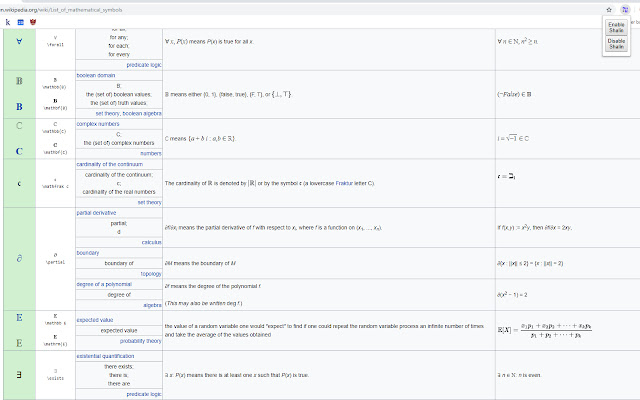
تحميل ملف CRX للإضافة Shalin
قم بتنزيل ملفات الامتداد Shalin بتنسيق crx ، وقم بتثبيت الامتدادات يدويًا في متصفح Chrome ، أو شارك ملفات crx مع الأصدقاء لتثبيت الامتدادات بسهولة.
تعليمات استخدام التمديد
                        Chrome extension that provides shortcuts to math symbol replacements for what you're typing.

Important note: Unfortunately, it appears Chrome has been updated to remove the functionality that makes this extension work properly. It is no longer maintained, and is unlikely to be updated unless the functionality returns in some form. My apologies!

Features:
- Instantly change trigger words into the associated symbol using "`"
- Lightweight
- Enable/Disable
- No external calls (runs locally)
- Most symbols from https://en.wikipedia.org/wiki/List_of_mathematical_symbols

How to use:
1. Type the key phrase (a list will be available shortly)
2. Press the backtick key (`)
3. Watch the magic happen!
معلومات أساسية عن التمديد
| الاسم |  Shalin Shalin |
| ID | pdakidnecjjjcekpdccdjhombkklccnh |
| عنوان URL الرسمي | https://chrome.google.com/webstore/detail/shalin/pdakidnecjjjcekpdccdjhombkklccnh |
| الوصف | Suggests math symbol replacements for what you're typing. |
| حجم الملف | 111 KB |
| عدد التثبيتات | 74 |
| النسخة الحالية | 0.1.4 |
| آخر تحديث | 2020-09-15 |
| تاريخ النشر | 2019-02-08 |
| تقييم | 4.50/5 مجموع تقييمات 4 |
| المطور | Pondle |
| البريد الإلكتروني | [email protected] |
| نوع الدفع | free |
| موقع الإضافة | http://shalin.benpotter.ca |
| اللغات المدعومة | en |
| manifest.json | |
{
    "update_url": "https:\/\/clients2.google.com\/service\/update2\/crx",
    "name": "Shalin",
    "description": "Suggests math symbol replacements for what you're typing.",
    "version": "0.1.4",
    "manifest_version": 2,
    "author": "Ben Potter",
    "permissions": [
        "input"
    ],
    "background": {
        "scripts": [
            "background.js"
        ],
        "persistent": false
    },
    "browser_action": {
        "default_popup": "popup\/popup.html",
        "default_icon": {
            "16": "imgs\/img_16.png",
            "32": "imgs\/img_32.png",
            "64": "imgs\/img_64.png",
            "128": "imgs\/img_128.png",
            "256": "imgs\/img_256.png"
        }
    },
    "icons": {
        "16": "imgs\/img_16.png",
        "32": "imgs\/img_32.png",
        "64": "imgs\/img_64.png",
        "128": "imgs\/img_128.png",
        "256": "imgs\/img_256.png"
    }
} | |