Tesse - Share Screen
This extension help you share your screen
Co je Tesse - Share Screen?
Tesse - Share Screen je rozšíření Chrome vyvinuté https://tesse.io, a jeho hlavní funkcí je „This extension help you share your screen“.
Snímky obrazovky rozšíření
Stáhnout soubor CRX rozšíření Tesse - Share Screen
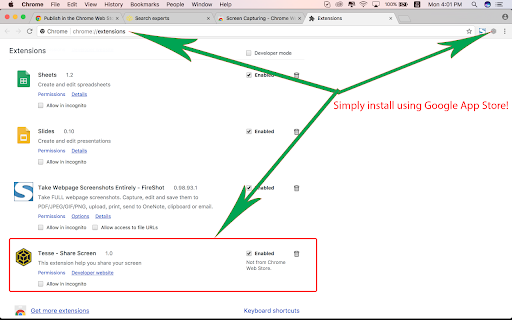
Stáhněte si soubory rozšíření Tesse - Share Screen ve formátu crx, ručně nainstalujte rozšíření Chrome do prohlížeče nebo sdílejte soubory crx s přáteli, abyste jednoduše nainstalovali rozšíření Chrome.
Pokyny pro Použití Rozšíření
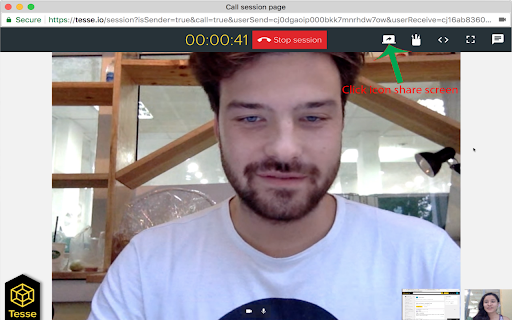
                        This extension helps you to share your screen in a video call to show presentations, photos, and documents.

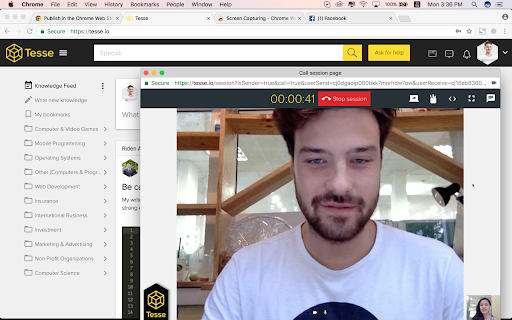
Tesse.io allows you to start a video call, without the need to download or install anything.

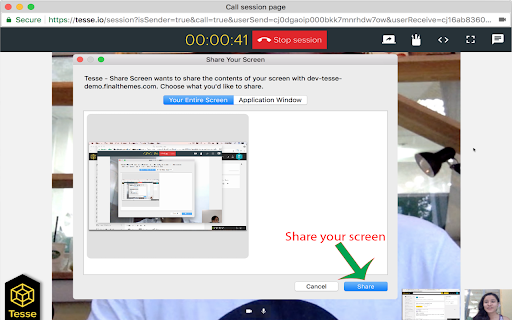
This extension allows you to share your screen with other participants in tesse.io call/chat session, to improve your online meeting efficiency.

You can select the window/apllication you want to share.

This extension was built based on open source: https://github.com/muaz-khan
Základní Informace o Rozšíření
| Název |  Tesse - Share Screen Tesse - Share Screen |
| ID | cgplojjghbkfimkgggajefldkpmaklll |
| Oficiální URL | https://chromewebstore.google.com/detail/tesse-share-screen/cgplojjghbkfimkgggajefldkpmaklll |
| Popis | This extension help you share your screen |
| Velikost souboru | 8.71 KB |
| Počet instalací | 33 |
| Aktuální Verze | 1.2 |
| Poslední Aktualizace | 2018-10-11 |
| Datum Vydání | 2018-10-11 |
| Hodnocení | 5.00/5 Celkem 4 Hodnocení |
| Vývojář | https://tesse.io |
| [email protected] | |
| Typ Platby | free |
| URL Stránky Nápovědy | https://tesse.io/tessbot |
| Podporované Jazyky | en |
| manifest.json | |
{
    "update_url": "https:\/\/clients2.google.com\/service\/update2\/crx",
    "name": "Tesse - Share Screen",
    "author": "Tesse, Inc.",
    "version": "1.2",
    "manifest_version": 2,
    "minimum_chrome_version": "34",
    "description": "This extension help you share your screen",
    "homepage_url": "https:\/\/tesse.io",
    "background": {
        "scripts": [
            "background-script.js"
        ],
        "persistent": false
    },
    "content_scripts": [
        {
            "js": [
                "content-script.js"
            ],
            "all_frames": true,
            "run_at": "document_end",
            "matches": [
                "https:\/\/tesse.io\/*"
            ]
        }
    ],
    "icons": {
        "48": "icon.png"
    },
    "permissions": [
        "desktopCapture"
    ],
    "web_accessible_resources": [
        "icon.png"
    ],
    "browser_action": {
        "default_icon": "icon.png"
    }
} | |