Jsonfy
With this chrome extension you can "beatify" your api Json with just one click. A simple way to view a formatted JSON structure.
Co je Jsonfy?
Jsonfy je rozšíření Chrome vyvinuté Danilo Trindade, a jeho hlavní funkcí je „With this chrome extension you can "beatify" your api Json with just one click. A simple way to view a formatted JSON structure.“.
Snímky obrazovky rozšíření

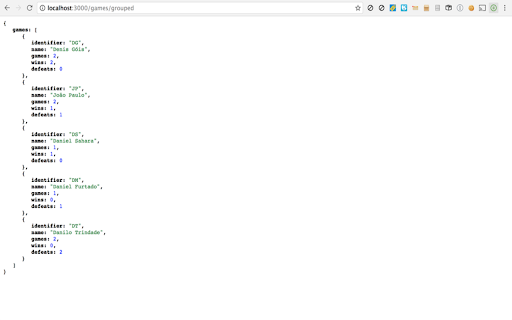
Stáhnout soubor CRX rozšíření Jsonfy
Stáhněte si soubory rozšíření Jsonfy ve formátu crx, ručně nainstalujte rozšíření Chrome do prohlížeče nebo sdílejte soubory crx s přáteli, abyste jednoduše nainstalovali rozšíření Chrome.
Pokyny pro Použití Rozšíření
With this chrome extension you can "beatify" your api Json with just one click. A simple way to view a formatted JSON structure. Základní Informace o Rozšíření
| Název |  Jsonfy Jsonfy |
| ID | dcjbeocbhehgcdckjfmkbdpkhdkpbbmn |
| Oficiální URL | https://chromewebstore.google.com/detail/jsonfy/dcjbeocbhehgcdckjfmkbdpkhdkpbbmn |
| Popis | With this chrome extension you can "beatify" your api Json with just one click. A simple way to view a formatted JSON structure. |
| Velikost souboru | 23.51 KB |
| Počet instalací | 152 |
| Aktuální Verze | 1.3 |
| Poslední Aktualizace | 2017-05-12 |
| Datum Vydání | 2017-05-12 |
| Vývojář | Danilo Trindade |
| [email protected] | |
| Typ Platby | free |
| Podporované Jazyky | en-US |
| manifest.json | |
{
    "update_url": "https:\/\/clients2.google.com\/service\/update2\/crx",
    "manifest_version": 2,
    "version": "1.3",
    "name": "Jsonfy",
    "description": "With this chrome extension you can \"beatify\" your api Json with just one click. A simple way to view a formatted JSON structure.",
    "browser_action": {
        "default_icon": "images\/icon-inactive-38.png",
        "default_title": "Jsonfy"
    },
    "icons": {
        "16": "images\/icon-active-38.png",
        "128": "images\/icon-active.png"
    },
    "permissions": [
        "http:\/\/*\/*",
        "https:\/\/*\/*",
        "background"
    ],
    "background": {
        "scripts": [
            "js\/actions.js",
            "js\/background.js"
        ]
    },
    "web_accessible_resources": [
        "images\/icon-active.png"
    ],
    "content_scripts": [
        {
            "matches": [
                "*:\/\/*\/*",
                "file:\/\/*\/*"
            ],
            "js": [
                "js\/actions.js"
            ],
            "css": [
                "css\/json.css"
            ]
        }
    ],
    "offline_enabled": false
} | |