PS4 Emulator For PC
This extension was created with the awesome remoteplay.site
Co je PS4 Emulator For PC?
PS4 Emulator For PC je rozšíření Chrome vyvinuté maheshnigg, a jeho hlavní funkcí je „This extension was created with the awesome remoteplay.site“.
Snímky obrazovky rozšíření
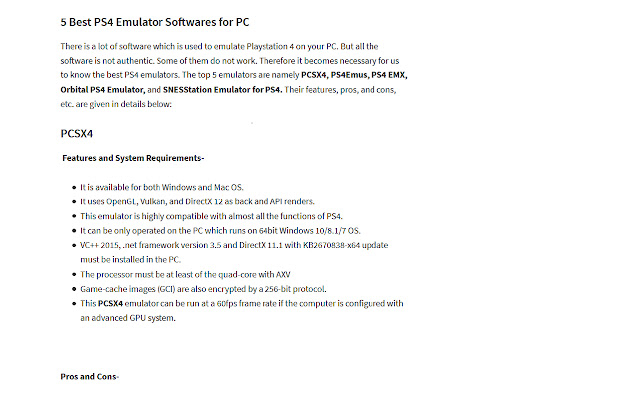
Stáhnout soubor CRX rozšíření PS4 Emulator For PC
Stáhněte si soubory rozšíření PS4 Emulator For PC ve formátu crx, ručně nainstalujte rozšíření Chrome do prohlížeče nebo sdílejte soubory crx s přáteli, abyste jednoduše nainstalovali rozšíření Chrome.
Pokyny pro Použití Rozšíření
                        Download & Install PS4 / PS5 Emulator on Windows Computer.

Playstation and Xbox are quite the same as the best consoles for gaming. The former is developed by Sony whereas the later is authorized by Microsoft.

And to enjoy games of such consoles on PC, there are certain software developed. PS4 Emulator for PC is also such software through which you can play all the games of PlayStation on your PC.

Enjoy Your PlayStation Games on PC.
Základní Informace o Rozšíření
| Název |  PS4 Emulator For PC PS4 Emulator For PC |
| ID | ffppnjbpabanjnmbgfamhbdmoapipcmb |
| Oficiální URL | https://chrome.google.com/webstore/detail/ps4-emulator-for-pc/ffppnjbpabanjnmbgfamhbdmoapipcmb |
| Popis | This extension was created with the awesome remoteplay.site |
| Velikost souboru | 40.88 KB |
| Počet instalací | 1,063 |
| Aktuální Verze | 0.0.9 |
| Poslední Aktualizace | 2021-03-03 |
| Datum Vydání | 2021-03-03 |
| Hodnocení | 1.00/5 Celkem 1 Hodnocení |
| Vývojář | maheshnigg |
| [email protected] | |
| Typ Platby | free |
| Webové stránky Rozšíření | https://playstation.com |
| URL Stránky Nápovědy | https://www.playstation.com/en-in/support/ |
| URL Stránky Zásad Ochrany Soukromí | https://remoteplay.site/privacy-policy |
| Podporované Jazyky | en |
| manifest.json | |
{
    "update_url": "https:\/\/clients2.google.com\/service\/update2\/crx",
    "name": "PS4 Emulator For PC",
    "version": "0.0.9",
    "manifest_version": 2,
    "description": "This extension was created with the awesome remoteplay.site",
    "homepage_url": "https:\/\/remoteplay.site",
    "icons": {
        "16": "icons\/icon16.png",
        "48": "icons\/icon48.png",
        "128": "icons\/icon128.png"
    },
    "default_locale": "en",
    "background": {
        "scripts": [
            "\/js\/background.js"
        ],
        "persistent": true
    },
    "browser_action": {
        "default_icon": "icons\/icon19.png",
        "default_title": "browser action demo",
        "default_popup": "src\/browser_action\/browser_action.html"
    }
} | |

![DraStic DS Emulator Apk PC [Guide]](https://lh3.googleusercontent.com/VWKHq9PT3BcxeLZyzPdDbQKxuBzpwxjPKrlEh8ApsENVaXS1jn75QEZhDNz8vGeh2vgKRLCO8rSDYGl0RQRwYwpDiOA)


















![Universal Extractor Download [Window 10,7,8]](https://lh3.googleusercontent.com/qRkKuS0PTkkxbCI0GTE6i3g8_c7T-pIxC00hkhItXiqSLKraz38wOdPwfj-o4TaCCmPT0vyguQ)

