QBar Extension
QBar, a browser helper specially designed for Chrome, deep in user behavior, optimized common Chrome functions for user, simplified…
Co je QBar Extension?
QBar Extension je rozšíření Chrome vyvinuté Smith, a jeho hlavní funkcí je „QBar, a browser helper specially designed for Chrome, deep in user behavior, optimized common Chrome functions for user, simplified…“.
Snímky obrazovky rozšíření
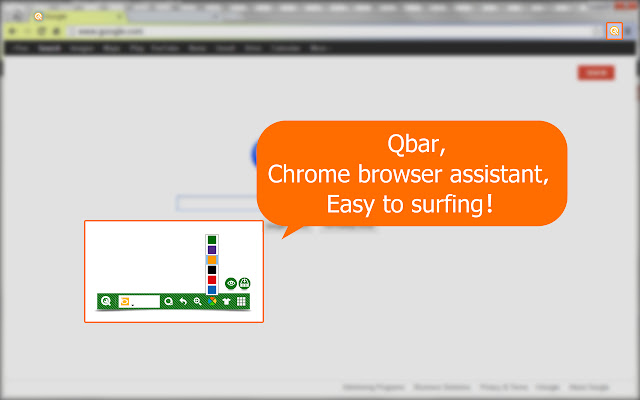


Stáhnout soubor CRX rozšíření QBar Extension
Stáhněte si soubory rozšíření QBar Extension ve formátu crx, ručně nainstalujte rozšíření Chrome do prohlížeče nebo sdílejte soubory crx s přáteli, abyste jednoduše nainstalovali rozšíření Chrome.
Pokyny pro Použití Rozšíření
                        How to reopen the accidentally closed webpage?
How to quickly find your favriate browser theme from many of them?
How to open incognito window?
Where to see the downloads?
......
Qbar,  a browser helper specially designed for Chrome, deep in user behavior, optimized common Chrome functions for user, simplified operations,  comfortable for surfing!
Základní Informace o Rozšíření
| Název |  QBar Extension QBar Extension |
| ID | gplkildghlidhhkkmkbochodbkpcmphl |
| Oficiální URL | https://chrome.google.com/webstore/detail/qbar-extension/gplkildghlidhhkkmkbochodbkpcmphl |
| Popis | QBar, a browser helper specially designed for Chrome, deep in user behavior, optimized common Chrome functions for user, simplified… |
| Velikost souboru | 487 KB |
| Počet instalací | 19 |
| Aktuální Verze | 1.0.0.7 |
| Poslední Aktualizace | 2013-07-29 |
| Datum Vydání | 2013-07-29 |
| Hodnocení | 5.00/5 Celkem 6 Hodnocení |
| Vývojář | Smith |
| Typ Platby | free |
| Podporované Jazyky | en |
| manifest.json | |
{
    "update_url": "https:\/\/clients2.google.com\/service\/update2\/crx",
    "name": "__MSG_name__",
    "version": "1.0.0.7",
    "description": "__MSG_description__",
    "default_locale": "en",
    "browser_action": {
        "default_title": "__MSG_name__",
        "default_icon": "images\/16.png",
        "default_popup": "popup.html"
    },
    "icons": {
        "16": "images\/16.png",
        "19": "images\/19.png",
        "128": "images\/128.png"
    },
    "background": {
        "scripts": [
            "lib\/jquery-2.0.2.min.js",
            "constants.js",
            "lib\/underscore.js",
            "common\/analytics.js",
            "common\/storage.js",
            "background.js"
        ],
        "persistent": true
    },
    "permissions": [
        "notifications",
        "background",
        "tabs",
        "bookmarks",
        "history",
        "topSites",
        "alarms",
        "management",
        "browsingData",
        "contentSettings",
        "*:\/\/*\/*",
        "chrome:\/\/favicon\/",
        "storage",
        "unlimitedStorage"
    ],
    "content_scripts": [
        {
            "matches": [
                "http:\/\/*\/*",
                "https:\/\/*\/*"
            ],
            "css": [
                "css\/q-bar-reset.css",
                "css\/bar.css"
            ],
            "js": [
                "lib\/jquery-2.0.2.min.js",
                "constants.js",
                "content.js"
            ],
            "run_at": "document_end"
        }
    ],
    "content_security_policy": "script-src 'self' https:\/\/; object-src 'self'",
    "manifest_version": 2,
    "web_accessible_resources": [
        "img\/*",
        "images\/*",
        "*.html"
    ]
} | |