Pixel-art zoom
Zoom on pixel-art without the blurriness
Co je Pixel-art zoom?
Pixel-art zoom je rozšíření Chrome vyvinuté entibo, a jeho hlavní funkcí je „Zoom on pixel-art without the blurriness“.
Snímky obrazovky rozšíření

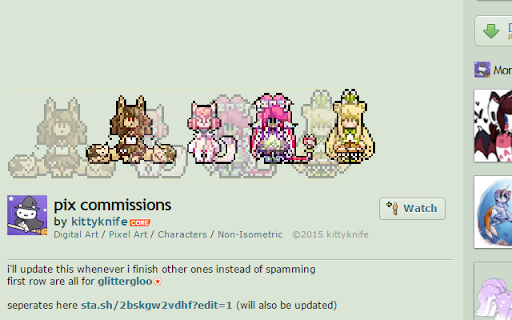
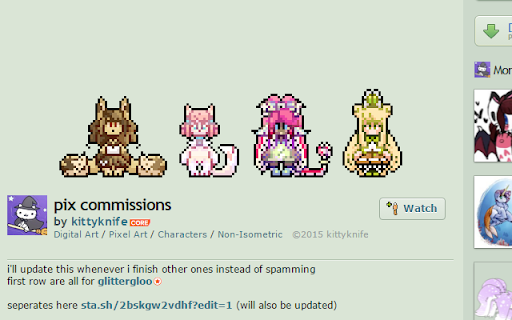

Stáhnout soubor CRX rozšíření Pixel-art zoom
Stáhněte si soubory rozšíření Pixel-art zoom ve formátu crx, ručně nainstalujte rozšíření Chrome do prohlížeče nebo sdílejte soubory crx s přáteli, abyste jednoduše nainstalovali rozšíření Chrome.
Pokyny pro Použití Rozšíření
                        Sometimes the low resolution makes it impossible to see an image...
And if you try CTRL,+/- it will just get blurry.
This tool allows you to zoom on an image, on its own page or on any page.

~ Use the context menu to toggle it for an image
~ You can then resize it by click-dragging
~ It will snap to dimensions that are multiples of the original size, to prevent pixel distortion (this feature can be disabled)

Feedback is welcome as this is my first extension !
Hope it will be useful !
Základní Informace o Rozšíření
| Název |  Pixel-art zoom Pixel-art zoom |
| ID | hmekkdlabbjicebobdeopkemgofhhafk |
| Oficiální URL | https://chromewebstore.google.com/detail/pixel-art-zoom/hmekkdlabbjicebobdeopkemgofhhafk |
| Popis | Zoom on pixel-art without the blurriness |
| Velikost souboru | 14.8 KB |
| Počet instalací | 592 |
| Aktuální Verze | 1.0 |
| Poslední Aktualizace | 2015-11-19 |
| Datum Vydání | 2015-11-19 |
| Hodnocení | 4.29/5 Celkem 14 Hodnocení |
| Vývojář | entibo |
| [email protected] | |
| Typ Platby | free |
| Webové stránky Rozšíření | http://entibo.fr |
| Podporované Jazyky | en |
| manifest.json | |
{
"update_url": "https:\/\/clients2.google.com\/service\/update2\/crx",
"manifest_version": 2,
"name": "Pixel-art zoom",
"short_name": "PAZ",
"description": "Zoom on pixel-art without the blurriness",
"icons": {
"128": "icon_128.png",
"48": "icon_48.png",
"32": "icon_32.png",
"28": "icon_28.png",
"24": "icon_24.png",
"23": "icon_23.png",
"22": "icon_22.png",
"21": "icon_21.png",
"20": "icon_20.png",
"19": "icon_19.png",
"18": "icon_18.png",
"17": "icon_17.png",
"16": "icon_16.png"
},
"version": "1.0",
"permissions": [
"contextMenus",
"storage"
],
"background": {
"scripts": [
"background.js"
]
},
"content_scripts": [
{
"matches": [
" | |