LinkedIn Auto Connect
A tool that automates adding connections on LinkedIn.
Co je LinkedIn Auto Connect?
LinkedIn Auto Connect je rozšíření Chrome vyvinuté Staff Wise, a jeho hlavní funkcí je „A tool that automates adding connections on LinkedIn.“.
Snímky obrazovky rozšíření
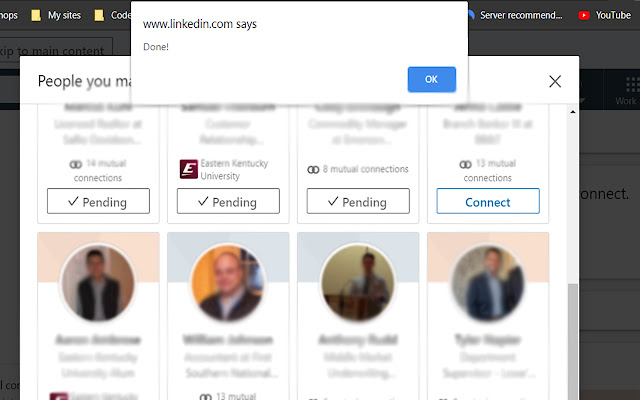

Stáhnout soubor CRX rozšíření LinkedIn Auto Connect
Stáhněte si soubory rozšíření LinkedIn Auto Connect ve formátu crx, ručně nainstalujte rozšíření Chrome do prohlížeče nebo sdílejte soubory crx s přáteli, abyste jednoduše nainstalovali rozšíření Chrome.
Pokyny pro Použití Rozšíření
                        LinkedIn Auto Connect (LAC) is a tool used to keep you productive while connecting to potential clients, coworkers, and more. To use you navigate to LinkedIn connections tab then open LAC. Here you will see:
- Link that takes you to the best page for our extension to work
- Instructions
- Text box for you to enter the number of connections you want to make
- Start button. Once you click start the extension will use the number you typed or it will default to 20 if you didn't enter a number.
When LAC is finished adding connections, it will alert you via a pop up.
Use this tool to help automate your connections so you can focus on doing the work that matters.
Základní Informace o Rozšíření
| Název |  LinkedIn Auto Connect LinkedIn Auto Connect |
| ID | indbngekimbgbondadeggnkaapcpekag |
| Oficiální URL | https://chrome.google.com/webstore/detail/linkedin-auto-connect/indbngekimbgbondadeggnkaapcpekag |
| Popis | A tool that automates adding connections on LinkedIn. |
| Velikost souboru | 110 KB |
| Počet instalací | 130 |
| Aktuální Verze | 1.0 |
| Poslední Aktualizace | 2020-05-30 |
| Datum Vydání | 2020-05-30 |
| Vývojář | Staff Wise |
| Typ Platby | free |
| Podporované Jazyky | en |
| manifest.json | |
{
    "update_url": "https:\/\/clients2.google.com\/service\/update2\/crx",
    "manifest_version": 2,
    "name": "LinkedIn Auto Connect",
    "description": "A tool that automates adding connections on LinkedIn.",
    "version": "1.0",
    "author": "Robert H.",
    "permissions": [
        "activeTab"
    ],
    "icons": {
        "16": "16.png",
        "48": "48.png",
        "128": "128.png"
    },
    "content_scripts": [
        {
            "matches": [
                "*:\/\/.linkedin.com\/*"
            ],
            "js": [
                "jquery.js",
                "connect.js"
            ]
        }
    ],
    "browser_action": {
        "default_popup": "connect.html"
    }
} | |