PumaPay
An Ethereum Wallet in your Browser
Co je PumaPay?
PumaPay je rozšíření Chrome vyvinuté https://pumapay.io, a jeho hlavní funkcí je „An Ethereum Wallet in your Browser“.
Snímky obrazovky rozšíření
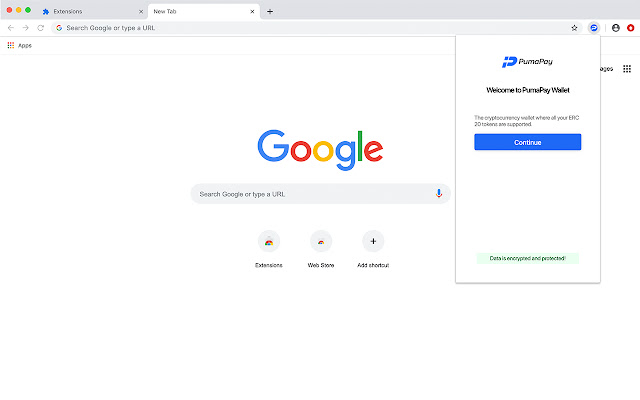


Stáhnout soubor CRX rozšíření PumaPay
Stáhněte si soubory rozšíření PumaPay ve formátu crx, ručně nainstalujte rozšíření Chrome do prohlížeče nebo sdílejte soubory crx s přáteli, abyste jednoduše nainstalovali rozšíření Chrome.
Pokyny pro Použití Rozšíření
                        PumaPay Chrome Plugin MVP in your Browser

The PumaPay Chrome Plugin MVP is a convenient Chrome extension! Access and manage your PumaPay Wallet, easily and effortlessly.
The Chrome extension is based on MetaMask Chrome Extension technology, which makes it compatible with the PumaPay system. MetaMask (https://metamask.io) is an extension which facilitates access to Ethereum enabled distributed applications, or “Dapps” in your browser! The extension adds functionality by calling web3.js API to enable crypto transactions through your browser, so that dapps can track your blockchain activity. Users can create and manage their identities, while making sure their funds are secure through private keys.
The next iteration of the Chrome Extension will include full support for our PullPayment Advanced Billing Models.
Základní Informace o Rozšíření
| Název |  PumaPay PumaPay |
| ID | ipkcagngbjpjlmajjcklpknniojdhppe |
| Oficiální URL | https://chrome.google.com/webstore/detail/pumapay/ipkcagngbjpjlmajjcklpknniojdhppe |
| Popis | An Ethereum Wallet in your Browser |
| Velikost souboru | 12.36 MB |
| Počet instalací | 144 |
| Aktuální Verze | 1.1.0 |
| Poslední Aktualizace | 2019-07-17 |
| Datum Vydání | 2019-07-12 |
| Hodnocení | 5.00/5 Celkem 4 Hodnocení |
| Vývojář | https://pumapay.io |
| [email protected] | |
| Typ Platby | free |
| URL Stránky Zásad Ochrany Soukromí | https://pumapay.io/docs/privacypolicy.pdf |
| Podporované Jazyky | en,ja |
| manifest.json | |
{
    "update_url": "https:\/\/clients2.google.com\/service\/update2\/crx",
    "name": "__MSG_appName__",
    "short_name": "__MSG_appName__",
    "version": "1.1.0",
    "manifest_version": 2,
    "author": "https:\/\/pumapay.io\/",
    "description": "__MSG_appDescription__",
    "commands": {
        "_execute_browser_action": {
            "suggested_key": {
                "windows": "Alt+Shift+M",
                "mac": "Alt+Shift+M",
                "chromeos": "Alt+Shift+M",
                "linux": "Alt+Shift+M"
            }
        }
    },
    "icons": {
        "16": "images\/pumapay-19x19.png",
        "128": "images\/pumapay-38x38.png"
    },
    "default_locale": "en",
    "background": {
        "scripts": [
            "background.js"
        ],
        "persistent": true
    },
    "browser_action": {
        "default_icon": {
            "19": "images\/pumapay-19x19.png",
            "38": "images\/pumapay-38x38.png"
        },
        "default_title": "PumaPay",
        "default_popup": "popup.html"
    },
    "content_scripts": [
        {
            "matches": [
                "file:\/\/*\/*",
                "http:\/\/*\/*",
                "https:\/\/*\/*"
            ],
            "js": [
                "contentscript.js"
            ],
            "run_at": "document_start",
            "all_frames": true
        },
        {
            "matches": [
                "*:\/\/connect.trezor.io\/*\/popup.html"
            ],
            "js": [
                "vendor\/trezor\/content-script.js"
            ]
        }
    ],
    "permissions": [
        "storage",
        "unlimitedStorage",
        "clipboardWrite",
        "http:\/\/localhost:8545\/",
        "https:\/\/*.infura.io\/",
        "activeTab",
        "webRequest",
        "*:\/\/*.eth\/",
        "notifications"
    ],
    "web_accessible_resources": [
        "inpage.js",
        "phishing.html",
        "firebase-messaging-sw.js"
    ],
    "externally_connectable": {
        "matches": [
            "https:\/\/pumapay.io\/*"
        ],
        "ids": [
            "*"
        ]
    }
} | |