Breakout Rooms for Google Meet™
Easily get everyone attending a Google Meet and compare them to a list, create groups and more
Co je Breakout Rooms for Google Meet™?
Breakout Rooms for Google Meet™ je rozšíření Chrome vyvinuté https://breakout-rooms-meet.freefinancetools.net, a jeho hlavní funkcí je „Easily get everyone attending a Google Meet and compare them to a list, create groups and more“.
Snímky obrazovky rozšíření
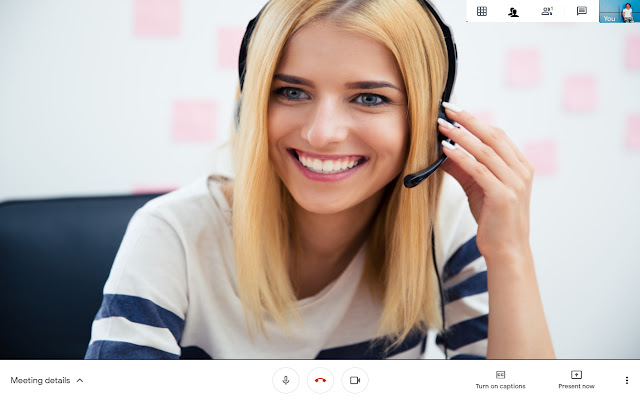


Stáhnout soubor CRX rozšíření Breakout Rooms for Google Meet™
Stáhněte si soubory rozšíření Breakout Rooms for Google Meet™ ve formátu crx, ručně nainstalujte rozšíření Chrome do prohlížeče nebo sdílejte soubory crx s přáteli, abyste jednoduše nainstalovali rozšíření Chrome.
Pokyny pro Použití Rozšíření
                        Breakout Rooms for Google Meet

Want to create small groups when you're inside a Google Meet meeting? Are you having trouble/issues trying to split up a large group of people who are in your Google Meet calls and hangouts meet?

Breakout rooms are sub rooms that can be created within a meeting or training session.
They are useful for splitting a large group into smaller groups that can talk or collaborate.
Breakout rooms can be used in google hangouts meet meetings and training sessions which have over 20 individuals.

Here is what this software extension can do for you in google meet app.

✔️ Count number & names of attendees for Google Meet Call
✔️ Randomize persons to create separate groups!
✔️ Based on these randomized groups, create breakout rooms and groups for them!

If you have any feedback for google video conference, please contact us and let us know. Please note for this extension to work, you MUST have the extension "Grid View for Google Chrome™" installed as well.

Disclaimer: Please note this extension is NOT made by Google and is made by an independent development team. All copyrights belong to their respective owners.
Google doesn’t endorse or sponsor this Chrome extension. This is not owned by,it is not licensed by and is not a subsidiary of Google Inc.
Základní Informace o Rozšíření
| Název |  Breakout Rooms for Google Meet™ Breakout Rooms for Google Meet™ |
| ID | jpejpkfedljfedibijehdcinadaadgoj |
| Oficiální URL | https://chrome.google.com/webstore/detail/breakout-rooms-for-google/jpejpkfedljfedibijehdcinadaadgoj |
| Popis | Easily get everyone attending a Google Meet and compare them to a list, create groups and more |
| Velikost souboru | 93.31 KB |
| Počet instalací | 20,000 |
| Aktuální Verze | 1.0.0 |
| Poslední Aktualizace | 2022-02-17 |
| Datum Vydání | 2020-09-10 |
| Hodnocení | 1.16/5 Celkem 25 Hodnocení |
| Vývojář | https://breakout-rooms-meet.freefinancetools.net |
| [email protected] | |
| Typ Platby | free |
| Webové stránky Rozšíření | https://breakout-rooms-meet.freefinancetools.net/ |
| Podporované Jazyky | id,ms,de,en,en-US,fil,fr,nl,no,vi,tr,ca,da,et,es,hr,it,lv,lt,hu,pl,ro,sk,sl,fi,sv,cs,el,sr,bg,ru,uk,hi,th,zh-CN,zh-TW,ja,ko |
| manifest.json | |
{
    "update_url": "https:\/\/clients2.google.com\/service\/update2\/crx",
    "browser_action": {
        "default_popup": "popup.html",
        "default_title": "Breakout Rooms for Google Meet"
    },
    "default_locale": "en",
    "description": "__MSG_extDesc__",
    "icons": {
        "128": "icons\/icon128.png",
        "16": "icons\/icon16.png",
        "32": "icons\/icon32.png",
        "48": "icons\/icon48.png",
        "96": "icons\/icon96.png"
    },
    "content_scripts": [
        {
            "all_frames": false,
            "js": [
                "\/js\/inject.js"
            ],
            "matches": [
                "https:\/\/meet.google.com\/*"
            ],
            "run_at": "document_idle"
        }
    ],
    "background": {
        "scripts": [
            "\/js\/update.js"
        ]
    },
    "manifest_version": 2,
    "name": "__MSG_extName__",
    "short_name": "__MSG_appName__",
    "version": "1.0.0",
    "web_accessible_resources": [
        "js\/breakoutRoom.js"
    ]
} | |