IPBurger Proxy & VPN
The Highest Quality Premium Proxies & VPN for Business
Co je IPBurger Proxy & VPN?
IPBurger Proxy & VPN je rozšíření Chrome vyvinuté IPBurger.com, a jeho hlavní funkcí je „The Highest Quality Premium Proxies & VPN for Business“.
Snímky obrazovky rozšíření
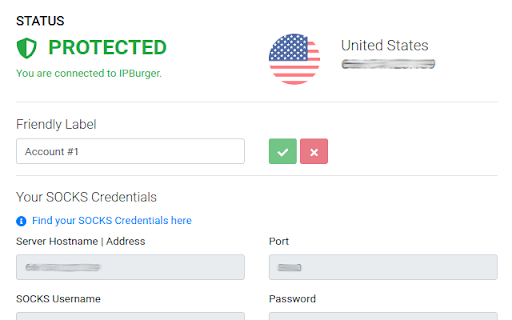
Stáhnout soubor CRX rozšíření IPBurger Proxy & VPN
Stáhněte si soubory rozšíření IPBurger Proxy & VPN ve formátu crx, ručně nainstalujte rozšíření Chrome do prohlížeče nebo sdílejte soubory crx s přáteli, abyste jednoduše nainstalovali rozšíření Chrome.
Pokyny pro Použití Rozšíření
                        ✔️ Protect IP Address
Use IPBurger's IP Address instead, even hide your IPv6.
✔️ Kill Switch
Blocks Internet when connection drops.
✔️ Auto-Connect
Stay connected from the moment you start browsing.
✔️ Protect WebRTC
Disables WebRTC and prevents any leaks.
✔️ Spoof Timezone
Automatically match your browser's Timezone with the location of assigned IP Address, hiding your original one.
✔️ Spoof Language
Automatically match your browser's language headers with the country of assigned IP Address, hiding your original one.
✔️ Spoof GPS
Automatically match your browser's GPS Coordinates with the country of assigned IP Address, hiding your original one.
✔️ No Software
Use just the extension.

Know More at IPBurger.com
Základní Informace o Rozšíření
| Název |  IPBurger Proxy & VPN IPBurger Proxy & VPN |
| ID | kchocjcihdgkoplngjemhpplmmloanja |
| Oficiální URL | https://chromewebstore.google.com/detail/ipburger-proxy-vpn/kchocjcihdgkoplngjemhpplmmloanja |
| Popis | The Highest Quality Premium Proxies & VPN for Business |
| Velikost souboru | 1001 KB |
| Počet instalací | 13,147 |
| Aktuální Verze | 2.4.18 |
| Poslední Aktualizace | 2023-11-14 |
| Datum Vydání | 2020-05-17 |
| Hodnocení | 3.14/5 Celkem 14 Hodnocení |
| Vývojář | IPBurger.com |
| [email protected] | |
| Typ Platby | in_app |
| Webové stránky Rozšíření | https://ipburger.com |
| URL Stránky Nápovědy | https://secure.ipburger.com/support |
| URL Stránky Zásad Ochrany Soukromí | https://www.ipburger.com/privacy-policy |
| Podporované Jazyky | en-US |
| manifest.json | |
{
"update_url": "https:\/\/clients2.google.com\/service\/update2\/crx",
"name": "IPBurger Proxy & VPN",
"description": "The Highest Quality Premium Proxies & VPN for Business",
"version": "2.4.18",
"manifest_version": 3,
"icons": {
"48": "icons\/logo-red.png"
},
"action": {
"default_icon": {
"48": "icons\/logo-white.png"
},
"default_title": "IPBurgerVPN",
"default_popup": "menu\/index.html"
},
"background": {
"service_worker": "background\/index.js"
},
"options_ui": {
"page": "options\/index.html",
"open_in_tab": false
},
"web_accessible_resources": [
{
"resources": [
"icons\/**\/*"
],
"matches": [
" | |