InsaChrome
Connectez-vous automatiquement au réseau wifi insa-invité, à cipcnet et au réseau insa, en un clic.
Co je InsaChrome?
InsaChrome je rozšíření Chrome vyvinuté PLHery, a jeho hlavní funkcí je „Connectez-vous automatiquement au réseau wifi insa-invité, à cipcnet et au réseau insa, en un clic.“.
Snímky obrazovky rozšíření

Stáhnout soubor CRX rozšíření InsaChrome
Stáhněte si soubory rozšíření InsaChrome ve formátu crx, ručně nainstalujte rozšíření Chrome do prohlížeče nebo sdílejte soubory crx s přáteli, abyste jednoduše nainstalovali rozšíření Chrome.
Pokyny pro Použití Rozšíření
                        Sous licence Apache v2 - https://github.com/MrPointVirgule/InsaChrome

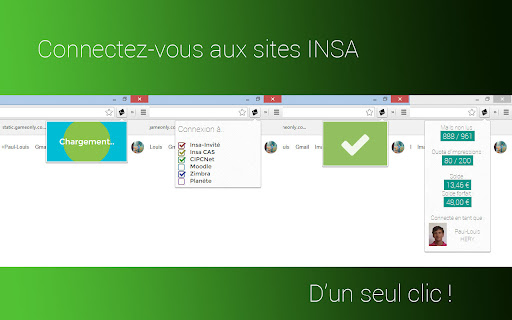
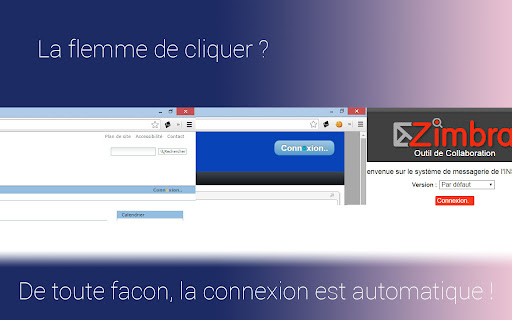
Cette extension vous connecte automatiquement (si vous allez sur un site insa, ou tombez sur une page de login) à insa-invité, moodle, zimbra, planete, et au réseau insa. Un bouton d'action (masquable) vous permet de vous connecter automatiquement si ce n'est pas fait, ainsi que de consulter le solde de sa carte, le nombre de mails non lu, et la confirmation de connexion.

En tapant dans la barre d'adresse "i" puis espace, puis un première lettre, vous aurez accès à plein de raccourcis : votre emploi du temps, vos mails, rechercher quelqu'un parmis les etudiants, parmis les cours moodle...

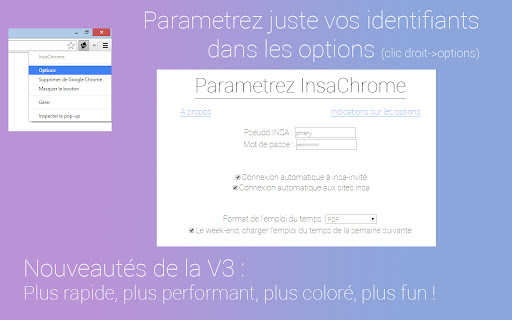
Pour le paramétrer : clic droit sur le bouton d'action, options.

N’hésitez-pas à me faire parvenir vos bugs. ([email protected])
Základní Informace o Rozšíření
| Název |  InsaChrome InsaChrome |
| ID | lpdlefamgmjigoiioihnhikabnmmelgk |
| Oficiální URL | https://chromewebstore.google.com/detail/insachrome/lpdlefamgmjigoiioihnhikabnmmelgk |
| Popis | Connectez-vous automatiquement au réseau wifi insa-invité, à cipcnet et au réseau insa, en un clic. |
| Velikost souboru | 877 KB |
| Počet instalací | 39 |
| Aktuální Verze | 3.4.2 |
| Poslední Aktualizace | 2017-01-13 |
| Datum Vydání | 2017-01-13 |
| Hodnocení | 4.94/5 Celkem 16 Hodnocení |
| Vývojář | PLHery |
| Typ Platby | free |
| Podporované Jazyky | fr |
| manifest.json | |
{
    "update_url": "https:\/\/clients2.google.com\/service\/update2\/crx",
    "background": {
        "scripts": [
            "bower_components\/jquery\/dist\/jquery.min.js",
            "bower_components\/cryptojslib\/rollups\/aes.js",
            "bower_components\/axios\/dist\/axios.min.js",
            "background\/connect.js",
            "background\/information.js",
            "background\/omnibox.js",
            "background\/background.js"
        ],
        "persistent": false
    },
    "browser_action": {
        "default_icon": "icons\/icon48.png",
        "default_popup": "popup\/popup.html"
    },
    "content_scripts": [
        {
            "all_frames": true,
            "js": [
                "content_scripts\/insainvite.js"
            ],
            "matches": [
                "*:\/\/securelogin.arubanetworks.com\/upload\/custom\/guests\/centre.htm",
                "*:\/\/*.insa-lyon.fr\/upload\/custom\/CP_FILAIRE\/centre.htm"
            ]
        },
        {
            "js": [
                "content_scripts\/autoconnect.js"
            ],
            "matches": [
                "*:\/\/*.insa-lyon.fr\/*"
            ]
        }
    ],
    "description": "Connectez-vous automatiquement au r\u00e9seau wifi insa-invit\u00e9, \u00e0 cipcnet et au r\u00e9seau insa, en un clic.",
    "icons": {
        "128": "icons\/icon128.png",
        "16": "icons\/icon16.png",
        "48": "icons\/icon48.png"
    },
    "manifest_version": 2,
    "name": "InsaChrome",
    "omnibox": {
        "keyword": "i"
    },
    "options_page": "options\/options.html",
    "permissions": [
        "http:\/\/securelogin.arubanetworks.com\/*",
        "*:\/\/*.insa-lyon.fr\/*",
        "cookies",
        "storage",
        "tabs",
        "notifications"
    ],
    "web_accessible_resources": [
        "icon\/icon128.png"
    ],
    "version": "3.4.2"
} | |