Sound Booster
Customize music file by volume booster tool. Allow you to increase the volume of your audio and video files
Co je Sound Booster?
Sound Booster je rozšíření Chrome vyvinuté Lourdes WhoIm, a jeho hlavní funkcí je „Customize music file by volume booster tool. Allow you to increase the volume of your audio and video files“.
Snímky obrazovky rozšíření

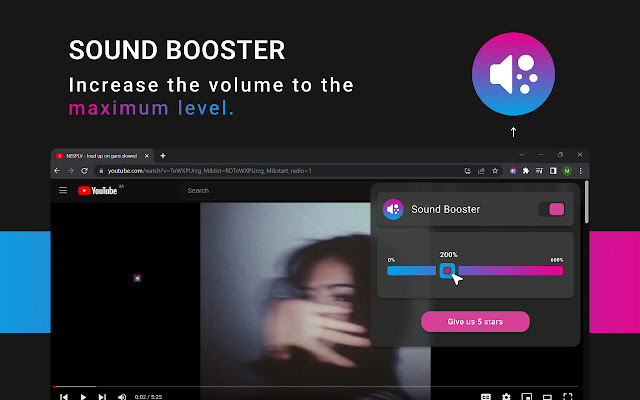
Stáhnout soubor CRX rozšíření Sound Booster
Stáhněte si soubory rozšíření Sound Booster ve formátu crx, ručně nainstalujte rozšíření Chrome do prohlížeče nebo sdílejte soubory crx s přáteli, abyste jednoduše nainstalovali rozšíření Chrome.
Pokyny pro Použití Rozšíření
                        In today’s world, sound booster tools are becoming increasingly popular. Whether you’re a musician, a sound engineer, or just someone who wants to enjoy their music louder, volume booster tools can help you get the most out of your audio.

Sound booster tool is designed to increase the volume of your audio without sacrificing mucis quality. They work by amplifying the audio waves and increasing the overall volume of the audio. This can be especially useful for those who are trying booster

Are you looking for a way to make your audio louder on your Chrome browser? If so, then you’ve come to the right place. Booster Tool for Chrome is a free extension that can help you increase the volume of your audio on your Chrome browser.
Základní Informace o Rozšíření
| Název |  Sound Booster Sound Booster |
| ID | lppeflehbcbgihabdpekbpjbedkhhhap |
| Oficiální URL | https://chrome.google.com/webstore/detail/volume-booster/lppeflehbcbgihabdpekbpjbedkhhhap |
| Popis | Customize music file by volume booster tool. Allow you to increase the volume of your audio and video files |
| Velikost souboru | 112 KB |
| Počet instalací | 1,771,561 |
| Aktuální Verze | 1.0.9 |
| Poslední Aktualizace | 2023-04-25 |
| Datum Vydání | 2023-02-23 |
| Hodnocení | 4.86/5 Celkem 14 Hodnocení |
| Vývojář | Lourdes WhoIm |
| [email protected] | |
| Typ Platby | free |
| URL Stránky Zásad Ochrany Soukromí | https://sites.google.com/view/sound-booster-ext/home |
| Podporované Jazyky | id,ms,de,en,en-GB,en-US,fil,fr,nl,no,vi,tr,ca,da,et,es,es-419,hr,it,lv,lt,pl,pt-BR,pt-PT,ro,sk,sl,fi,sv,cs,el,sr,bg,ru,uk,mr,hi,bn,gu,ta,te,ml,th,zh-CN,zh-TW,ja,ko |
| manifest.json | |
{
"update_url": "https:\/\/clients2.google.com\/service\/update2\/crx",
"manifest_version": 3,
"name": "__MSG_app_name__",
"description": "__MSG_app_description__",
"default_locale": "en",
"version": "1.0.9",
"icons": {
"16": "assets\/icon.png",
"32": "assets\/icon.png",
"48": "assets\/icon.png",
"128": "assets\/icon.png"
},
"action": {
"default_icon": {
"19": "assets\/icon.png",
"38": "assets\/icon.png"
},
"default_title": "__MSG_app_name__"
},
"background": {
"service_worker": "data\/worker.js"
},
"content_scripts": [
{
"matches": [
" | |