ebb
Chrome extension to mitigate on-screen movement.
Co je ebb?
ebb je rozšíření Chrome vyvinuté Team Ebb, a jeho hlavní funkcí je „Chrome extension to mitigate on-screen movement.“.
Snímky obrazovky rozšíření

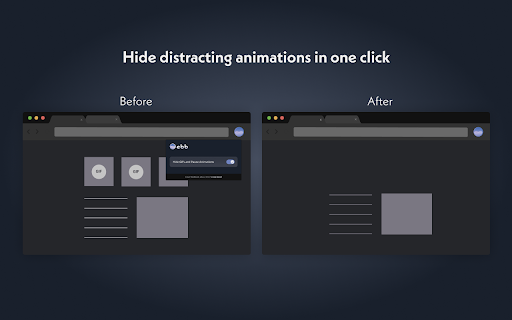
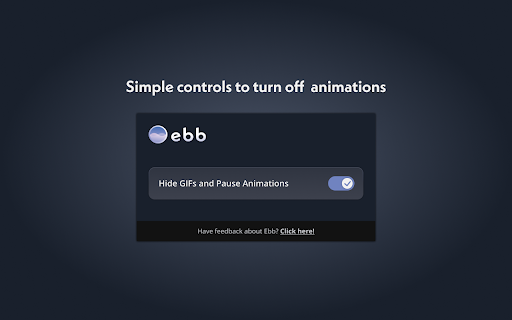
Stáhnout soubor CRX rozšíření ebb
Stáhněte si soubory rozšíření ebb ve formátu crx, ručně nainstalujte rozšíření Chrome do prohlížeče nebo sdílejte soubory crx s přáteli, abyste jednoduše nainstalovali rozšíření Chrome.
Pokyny pro Použití Rozšíření
                        Have you ever experienced increased eye strain, headaches, distractibility, and or frustration after surfing the web? If so, give Ebb a try!

Ebb is a free Chrome extension that reduces the appearance of moving site components, like GIFs and CSS animations, which can be a common trigger for people with various neurological and sensory conditions, like ADHD, photophobia, chronic fatigue, migraines. Thus, by minimizing on-screen movements, Ebb can help people like you have safer and less painful online experiences, making web browsing more inclusive and accessible.

Ebb is designed with accessibility in-mind with elements like a simplistic user experience, a dark and soothing color scheme, keyboard navigation and focus, and OS-based shortcuts. We’re always working to make Ebb better, so we built a feedback tool right into the extension.

So, do you want to browse more comfortably? Try surfing the web with Ebb!
Základní Informace o Rozšíření
| Název |  ebb ebb |
| ID | madmcmnfddadihndjcofieeeenbndlil |
| Oficiální URL | https://chromewebstore.google.com/detail/ebb/madmcmnfddadihndjcofieeeenbndlil |
| Popis | Chrome extension to mitigate on-screen movement. |
| Velikost souboru | 75.84 KB |
| Počet instalací | 42 |
| Aktuální Verze | 0.0.0.1 |
| Poslední Aktualizace | 2021-06-11 |
| Datum Vydání | 2021-06-11 |
| Hodnocení | 5.00/5 Celkem 2 Hodnocení |
| Vývojář | Team Ebb |
| [email protected] | |
| Typ Platby | free |
| Podporované Jazyky | en-US |
| manifest.json | |
{
"update_url": "https:\/\/clients2.google.com\/service\/update2\/crx",
"name": "ebb",
"version": "0.0.0.1",
"manifest_version": 3,
"description": "Chrome extension to mitigate on-screen movement.",
"icons": {
"16": "icons\/ebb16x16.png",
"32": "icons\/ebb32x32.png",
"48": "icons\/ebb48x48.png",
"128": "icons\/ebb128x128.png"
},
"action": {
"default_popup": "popup\/popup.html"
},
"background": {
"service_worker": "background.js"
},
"content_scripts": [
{
"matches": [
" | |