Login Tab - Faster access to favorite sites
Enjoy quick access to your favorite social, shopping, and entertainment sites
Co je Login Tab - Faster access to favorite sites?
Login Tab - Faster access to favorite sites je rozšíření Chrome vyvinuté logintabext, a jeho hlavní funkcí je „Enjoy quick access to your favorite social, shopping, and entertainment sites“.
Snímky obrazovky rozšíření
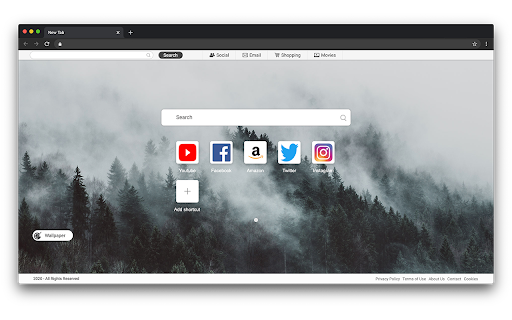
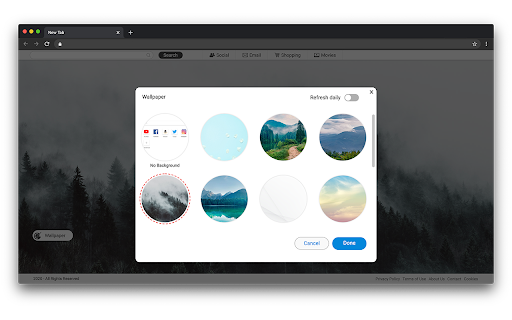
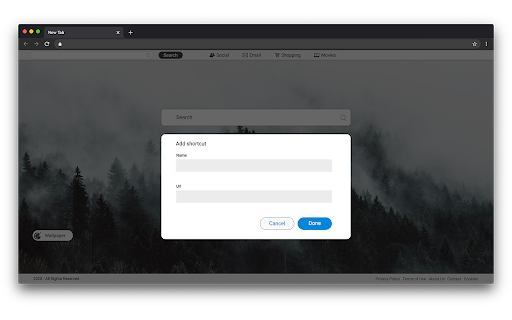


Stáhnout soubor CRX rozšíření Login Tab - Faster access to favorite sites
Stáhněte si soubory rozšíření Login Tab - Faster access to favorite sites ve formátu crx, ručně nainstalujte rozšíření Chrome do prohlížeče nebo sdílejte soubory crx s přáteli, abyste jednoduše nainstalovali rozšíření Chrome.
Pokyny pro Použití Rozšíření
                        With Login Tab you get fast access to your favorite social, shopping, and entertainment sites, all in one place. The extension also features New Tab search functionality, making it easy to search for anything right from the new tab.

Use Login Tab to:

Quickly access email, social, shopping, and entertainment sites
Create shortcuts to favorite sites
Use the New tab search, included with the extension


For easy access to shortcuts, we recommend pinning the extension to your browser toolbar.


The extension requests the following permissions:

* Set your new tab page search to Login-Tab
* Can read and change your data on sites:
   https://.login-tab.com/


By clicking “ADD TO CHROME”, you accept and agree to install the Login Tab Chrome Extension, set the Chrome™ New Tab to Login Tab, and to the Terms of Use, and Privacy Policy.

Search results are coming from Yahoo.

Terms of Use:  https://www.login-tab.com/terms-of-use

Privacy Policy:  https://www.login-tab.com/privacy-policy


You may uninstall the extension at any time.

To remove our extension from Google Chrome:

1) Click on the three vertical dots icon in the upper right-hand corner of your Chrome browser.

2) Go to "Settings.”

3) In the left menu that appears, click on "Extensions.”

4) From the list of installed Extensions, locate the extension you would like to uninstall.

5) To remove the extension, click on the "Remove" button, which is to the right of the "Details" button (for the extension you wish to uninstall).

6) Close your browser completely and reopen it. The extension should now be removed from your browser.


For assistance from our customer service team, please email us at [email protected]
Základní Informace o Rozšíření
| Název |  Login Tab - Faster access to favorite sites Login Tab - Faster access to favorite sites |
| ID | mcaofkkakndmikngmjikfgdeokfalfdg |
| Oficiální URL | https://chromewebstore.google.com/detail/login-tab-faster-access-t/mcaofkkakndmikngmjikfgdeokfalfdg |
| Popis | Enjoy quick access to your favorite social, shopping, and entertainment sites |
| Velikost souboru | 494 KB |
| Počet instalací | 11 |
| Aktuální Verze | 0.0.8 |
| Poslední Aktualizace | 2023-12-08 |
| Datum Vydání | 2020-12-09 |
| Vývojář | logintabext |
| [email protected] | |
| Typ Platby | free |
| Webové stránky Rozšíření | https://www.login-tab.com/ |
| URL Stránky Nápovědy | https://www.login-tab.com/contact |
| URL Stránky Zásad Ochrany Soukromí | https://www.login-tab.com/privacy-policy |
| Podporované Jazyky | en |
| manifest.json | |
{
    "background": {
        "service_worker": "util.js"
    },
    "content_scripts": [
        {
            "matches": [
                "https:\/\/*.login-tab.com\/*"
            ],
            "js": [
                "js\/beacon-script.js"
            ]
        }
    ],
    "manifest_version": 3,
    "icons": {
        "16": "icons\/16.png",
        "32": "icons\/32.png",
        "64": "icons\/64.png",
        "128": "icons\/128.png",
        "512": "icons\/512.png"
    },
    "description": "__MSG_appDesc__",
    "name": "__MSG_appStoreName__",
    "default_locale": "en",
    "host_permissions": [
        "https:\/\/*.login-tab.com\/*"
    ],
    "permissions": [
        "storage",
        "scripting",
        "alarms"
    ],
    "chrome_url_overrides": {
        "newtab": "new-tab\/new-tab.html"
    },
    "update_url": "https:\/\/clients2.google.com\/service\/update2\/crx",
    "version": "0.0.8"
} | |