Instagram AutoFollow #Hashtag
Google Chrome extension that automatically follows and stops following users of a hashtag for INSTAGRAM
Co je Instagram AutoFollow #Hashtag?
Instagram AutoFollow #Hashtag je rozšíření Chrome vyvinuté kleber, a jeho hlavní funkcí je „Google Chrome extension that automatically follows and stops following users of a hashtag for INSTAGRAM“.
Snímky obrazovky rozšíření
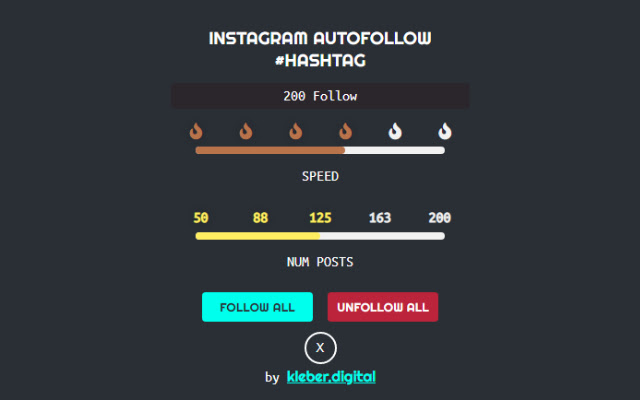
Stáhnout soubor CRX rozšíření Instagram AutoFollow #Hashtag
Stáhněte si soubory rozšíření Instagram AutoFollow #Hashtag ve formátu crx, ručně nainstalujte rozšíření Chrome do prohlížeče nebo sdílejte soubory crx s přáteli, abyste jednoduše nainstalovali rozšíření Chrome.
Pokyny pro Použití Rozšíření
This extension follows instagram accounts by hashtag Základní Informace o Rozšíření
| Název |  Instagram AutoFollow #Hashtag Instagram AutoFollow #Hashtag |
| ID | mflggmjpnhmclfilgbinldnmjeaominp |
| Oficiální URL | https://chrome.google.com/webstore/detail/instagram-autofollow-hash/mflggmjpnhmclfilgbinldnmjeaominp |
| Popis | Google Chrome extension that automatically follows and stops following users of a hashtag for INSTAGRAM |
| Velikost souboru | 72.18 KB |
| Počet instalací | 123 |
| Aktuální Verze | 1.2 |
| Poslední Aktualizace | 2020-11-12 |
| Datum Vydání | 2020-04-13 |
| Vývojář | kleber |
| [email protected] | |
| Typ Platby | free |
| Webové stránky Rozšíření | https://kleber.digital/productos/instagram-autofollow-hashtag |
| URL Stránky Nápovědy | https://kleber.digital/contacto/ |
| Podporované Jazyky | en |
| manifest.json | |
{
    "update_url": "https:\/\/clients2.google.com\/service\/update2\/crx",
    "name": "Instagram AutoFollow #Hashtag",
    "version": "1.2",
    "description": "Google Chrome extension that automatically follows and stops following users of a hashtag for INSTAGRAM ",
    "permissions": [
        "activeTab",
        "declarativeContent",
        "tabs"
    ],
    "background": {
        "scripts": [
            "background.js"
        ],
        "persistent": true
    },
    "page_action": {
        "default_popup": "popup.html",
        "default_icon": {
            "16": "images\/16.png",
            "32": "images\/32.png",
            "48": "images\/48.png",
            "128": "images\/128.png"
        }
    },
    "icons": {
        "16": "images\/16.png",
        "32": "images\/32.png",
        "48": "images\/48.png",
        "128": "images\/128.png"
    },
    "manifest_version": 2
} | |