Connectivity Checker
A connectivity checker that informs you when internet goes out by showing a little message on each tab
Co je Connectivity Checker?
Connectivity Checker je rozšíření Chrome vyvinuté mail, a jeho hlavní funkcí je „A connectivity checker that informs you when internet goes out by showing a little message on each tab“.
Snímky obrazovky rozšíření
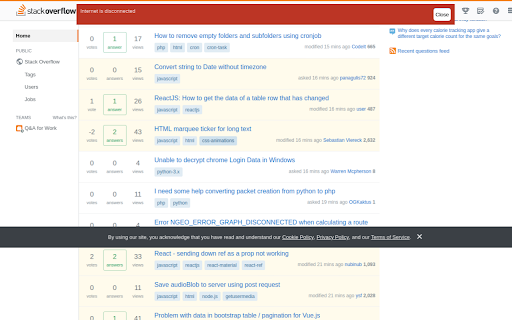
Stáhnout soubor CRX rozšíření Connectivity Checker
Stáhněte si soubory rozšíření Connectivity Checker ve formátu crx, ručně nainstalujte rozšíření Chrome do prohlížeče nebo sdílejte soubory crx s přáteli, abyste jednoduše nainstalovali rozšíření Chrome.
Pokyny pro Použití Rozšíření
A simple tool that keeps a track of whether the internet is connected and lets you know when it goes down. Also detects captive portals Základní Informace o Rozšíření
| Název |  Connectivity Checker Connectivity Checker |
| ID | nbppecbhmichhmpoemgkkpefoaaoaioj |
| Oficiální URL | https://chromewebstore.google.com/detail/connectivity-checker/nbppecbhmichhmpoemgkkpefoaaoaioj |
| Popis | A connectivity checker that informs you when internet goes out by showing a little message on each tab |
| Velikost souboru | 55.58 KB |
| Počet instalací | 23 |
| Aktuální Verze | 0.0.1 |
| Poslední Aktualizace | 2019-07-13 |
| Datum Vydání | 2019-07-09 |
| Vývojář | |
| Typ Platby | free |
| Webové stránky Rozšíření | https://somesh.io |
| Podporované Jazyky | en |
| manifest.json | |
{
    "update_url": "https:\/\/clients2.google.com\/service\/update2\/crx",
    "manifest_version": 2,
    "version": "0.0.1",
    "name": "Connectivity Checker",
    "description": "A connectivity checker that informs you when internet goes out by showing a little message on each tab",
    "browser_action": {
        "default_icon": {
            "16": "icons\/wifi-16.png",
            "32": "icons\/wifi-32.png",
            "64": "icons\/wifi-64.png",
            "128": "icons\/wifi-128.png"
        },
        "default_title": "Connectivity Checker",
        "default_popup": "src\/popup.html"
    },
    "icons": {
        "16": "icons\/wifi-16.png",
        "32": "icons\/wifi-32.png",
        "64": "icons\/wifi-64.png",
        "128": "icons\/wifi-128.png"
    },
    "background": {
        "persistent": true,
        "scripts": [
            "src\/background.js"
        ]
    },
    "content_scripts": [
        {
            "matches": [
                "http:\/\/*\/",
                "https:\/\/*\/*"
            ],
            "js": [
                "jquery.js",
                "src\/content.js"
            ],
            "css": [
                "src\/content.css"
            ]
        }
    ],
    "permissions": [
        "activeTab"
    ]
} | |