Wimp Autoplay
An autoplayer for wimp.
Co je Wimp Autoplay?
Wimp Autoplay je rozšíření Chrome vyvinuté Ashkan, a jeho hlavní funkcí je „An autoplayer for wimp.“.
Snímky obrazovky rozšíření

Stáhnout soubor CRX rozšíření Wimp Autoplay
Stáhněte si soubory rozšíření Wimp Autoplay ve formátu crx, ručně nainstalujte rozšíření Chrome do prohlížeče nebo sdílejte soubory crx s přáteli, abyste jednoduše nainstalovali rozšíření Chrome.
Pokyny pro Použití Rozšíření
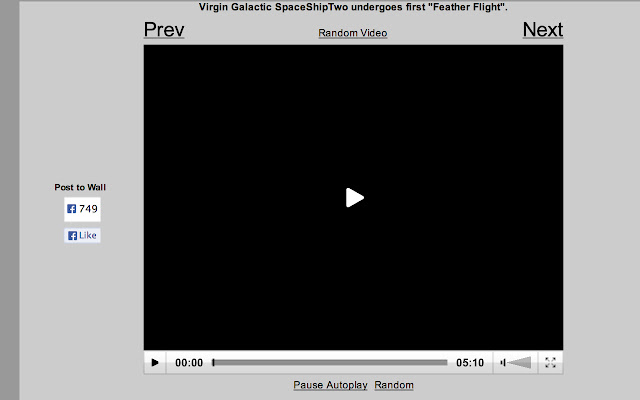
                        This a simple autoplaying agent for Wimp which adds two buttons below the video player which control autoplaying and how to autoplay (play next, previous, or random video after).

This is a simple beta for now, if there is enough interest in it, then I will add features to it. Possible features include: keyboard navigation and same page loading of videos.

However, I may also just make a website that is a better interface for Wimp, which may be better.
Základní Informace o Rozšíření
| Název |  Wimp Autoplay Wimp Autoplay |
| ID | oilleiaajfdnnclncmnonndldafmlpdl |
| Oficiální URL | https://chrome.google.com/webstore/detail/wimp-autoplay/oilleiaajfdnnclncmnonndldafmlpdl |
| Popis | An autoplayer for wimp. |
| Velikost souboru | 32.36 KB |
| Počet instalací | 109 |
| Aktuální Verze | 0.13 |
| Poslední Aktualizace | 2014-01-13 |
| Datum Vydání | 2014-01-13 |
| Hodnocení | 5.00/5 Celkem 4 Hodnocení |
| Vývojář | Ashkan |
| Typ Platby | free |
| Podporované Jazyky | en-US |
| manifest.json | |
{
    "update_url": "https:\/\/clients2.google.com\/service\/update2\/crx",
    "manifest_version": 2,
    "name": "Wimp Autoplay",
    "description": "An autoplayer for wimp.",
    "version": "0.13",
    "permissions": [
        "http:\/\/www.wimp.com\/"
    ],
    "icons": {
        "16": "favicon16.png",
        "48": "favicon48.png",
        "128": "favicon128.png"
    },
    "content_scripts": [
        {
            "matches": [
                "http:\/\/www.wimp.com\/*"
            ],
            "js": [
                "inject.js"
            ],
            "run_at": "document_idle"
        }
    ],
    "content_security_policy": "script-src 'self' https:\/\/ssl.google-analytics.com; object-src 'self'",
    "web_accessible_resources": [
        "localstorage.js",
        "tracking.js"
    ]
} | |