Sticky Notes
Sticky Notes for your Chrome. Organize all of the work with sticky notes and get things done.
Hvad er Sticky Notes?
Sticky Notes er en Chrome-udvidelse udviklet af Divin Divakaran, og dens hovedfunktion er "Sticky Notes for your Chrome. Organize all of the work with sticky notes and get things done.".
Udvidelsesskærmbilleder


Download Sticky Notes-udvidelses-CRX-fil
Download Sticky Notes-udvidelsesfiler i crx-format, installer Chrome-udvidelser manuelt i browseren eller del crx-filer med venner for nemt at installere Chrome-udvidelser.
Brugsanvisning til Udvidelsen
                        ------------------------------- FEATURES ----------------------------------------

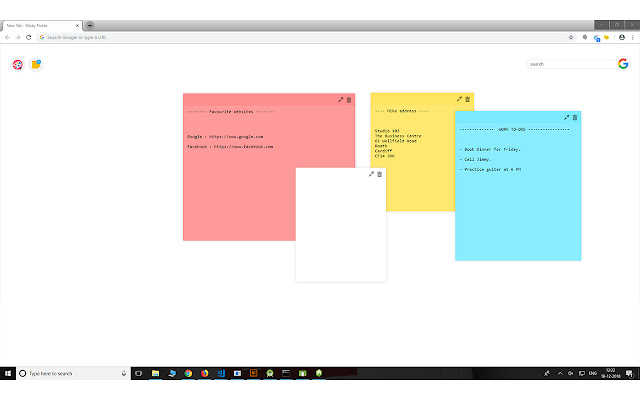
- You'll see the notes every time you open a new tab in chrome.
- Unlimited number of notes can be added.
- Customise the background colour of the page and also the colour of the notes.
- The size of the note can be easily updated and can be dragged to any desired
  location.
- The notes will stay in the exact position even after you exit and reopen.
- The application is lightweight and very fast
- A google search is also included with this application
Grundlæggende oplysninger om udvidelsen
| Navn |  Sticky Notes Sticky Notes |
| ID | afdjehcoobjeopcnfdjncgjibchcomlg |
| Officiel URL | https://chrome.google.com/webstore/detail/sticky-notes/afdjehcoobjeopcnfdjncgjibchcomlg |
| Beskrivelse | Sticky Notes for your Chrome. Organize all of the work with sticky notes and get things done. |
| Filstørrelse | 158 KB |
| Antal Installationer | 1,000 |
| Nuværende Version | 1.0 |
| Senest Opdateret | 2018-12-18 |
| Udgivelsesdato | 2018-12-18 |
| Bedømmelse | 2.67/5 Samlet 6 Bedømmelser |
| Udvikler | Divin Divakaran |
| [email protected] | |
| Betalingsmetode | free |
| Udvidelseswebsted | http://www.divindivakaran.com |
| Understøttede Sprog | en |
| manifest.json | |
{
    "update_url": "https:\/\/clients2.google.com\/service\/update2\/crx",
    "manifest_version": 2,
    "name": "Sticky Notes",
    "description": "Sticky Notes for your Chrome. Organize all of the work with sticky notes and get things done.",
    "version": "1.0",
    "browser_action": {
        "default_icon": "icon.png"
    },
    "chrome_url_overrides": {
        "newtab": "index.html"
    },
    "content_security_policy": "script-src 'self' 'unsafe-eval'; object-src 'self'",
    "permissions": [
        "storage",
        "contextMenus"
    ]
} | |