LeetCode Python Assistant
Makes your Python development more efficient on LeetCode.
Hvad er LeetCode Python Assistant?
LeetCode Python Assistant er en Chrome-udvidelse udviklet af fwuensche, og dens hovedfunktion er "Makes your Python development more efficient on LeetCode.".
Udvidelsesskærmbilleder

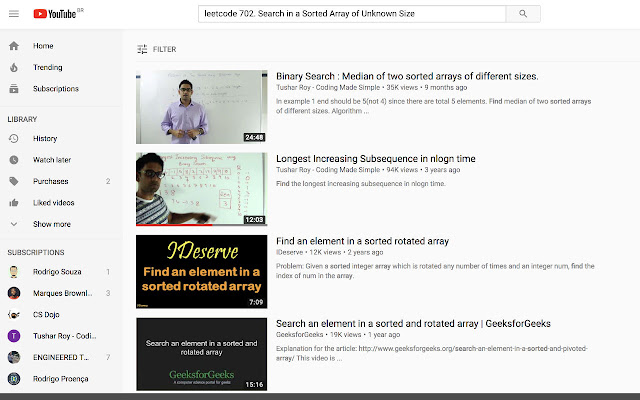
Download LeetCode Python Assistant-udvidelses-CRX-fil
Download LeetCode Python Assistant-udvidelsesfiler i crx-format, installer Chrome-udvidelser manuelt i browseren eller del crx-filer med venner for nemt at installere Chrome-udvidelser.
Brugsanvisning til Udvidelsen
                        This extension provides the user with productivity tools, such as a button for YouTube solutions, automatically filtering Python discussions, sorting them by top rated, and more.

That's pretty much it (so far), but contributions are more than welcome at https://github.com/fwuensche/leetcode-chrome-extension
Grundlæggende oplysninger om udvidelsen
| Navn |  LeetCode Python Assistant LeetCode Python Assistant |
| ID | ancmjhdhodjnghpopbhlihpggbgommgk |
| Officiel URL | https://chrome.google.com/webstore/detail/leetcode-python-assistant/ancmjhdhodjnghpopbhlihpggbgommgk |
| Beskrivelse | Makes your Python development more efficient on LeetCode. |
| Filstørrelse | 213 KB |
| Antal Installationer | 213 |
| Nuværende Version | 0.1.0 |
| Senest Opdateret | 2018-09-18 |
| Udgivelsesdato | 2018-09-18 |
| Bedømmelse | 5.00/5 Samlet 1 Bedømmelser |
| Udvikler | fwuensche |
| Betalingsmetode | free |
| Udvidelseswebsted | http://github.com/fwuensche/leetcode-chrome-extension |
| Hjælpeside-URL | http://github.com/fwuensche/leetcode-chrome-extension |
| Understøttede Sprog | en-US |
| manifest.json | |
{
    "update_url": "https:\/\/clients2.google.com\/service\/update2\/crx",
    "name": "LeetCode Python Assistant",
    "description": "Makes your Python development more efficient on LeetCode.",
    "version": "0.1.0",
    "browser_action": {
        "default_popup": "search.html",
        "default_icon": "img\/lc-logo.png"
    },
    "content_scripts": [
        {
            "matches": [
                "https:\/\/leetcode.com\/problems\/*"
            ],
            "js": [
                "js\/vendor\/jquery.js",
                "js\/problems.js"
            ]
        }
    ],
    "icons": {
        "144": "img\/icon_144.png"
    },
    "manifest_version": 2
} | |