Image to Text (by PDFLite.co)
Image to Text with 100% privacy. No uploads required, works offline.
Hvad er Image to Text (by PDFLite.co)?
Image to Text (by PDFLite.co) er en Chrome-udvidelse udviklet af http://pdflite.co, og dens hovedfunktion er "Image to Text with 100% privacy. No uploads required, works offline.".
Udvidelsesskærmbilleder

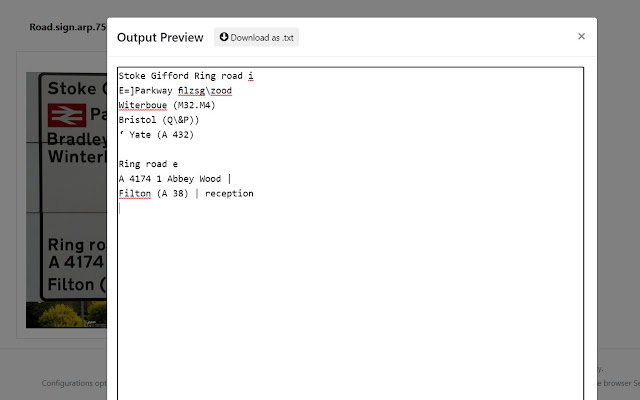
Download Image to Text (by PDFLite.co)-udvidelses-CRX-fil
Download Image to Text (by PDFLite.co)-udvidelsesfiler i crx-format, installer Chrome-udvidelser manuelt i browseren eller del crx-filer med venner for nemt at installere Chrome-udvidelser.
Brugsanvisning til Udvidelsen
                        Extract text from pictures (JPG, PNG) with 100% privacy for your files, no uploads, no signups, no fee.

- Open Images, extract and get text from image
- 100% privacy for your files, everything is processed in your browser
- No fee, no signups, no subscriptions, 100% free
- Built-in OCR (English language)
- Works in your browser (large images may take up to 30 seconds to process on modern computers).
Grundlæggende oplysninger om udvidelsen
| Navn |  Image to Text (by PDFLite.co) Image to Text (by PDFLite.co) |
| ID | bfpgffamdlcdnfkkoiflhcnjpnkofgpn |
| Officiel URL | https://chrome.google.com/webstore/detail/image-to-text-by-pdflitec/bfpgffamdlcdnfkkoiflhcnjpnkofgpn |
| Beskrivelse | Image to Text with 100% privacy. No uploads required, works offline. |
| Filstørrelse | 12.87 MB |
| Antal Installationer | 231 |
| Nuværende Version | 1.1.1 |
| Senest Opdateret | 2021-04-11 |
| Udgivelsesdato | 2021-04-11 |
| Bedømmelse | 4.00/5 Samlet 2 Bedømmelser |
| Udvikler | http://pdflite.co |
| [email protected] | |
| Betalingsmetode | free |
| URL til Fortrolighedspolitik Side | https://pdf.co/pages/legal/privacy |
| Understøttede Sprog | en-US |
| manifest.json | |
{
    "update_url": "https:\/\/clients2.google.com\/service\/update2\/crx",
    "manifest_version": 2,
    "version": "1.1.1",
    "name": "Image to Text (by PDFLite.co)",
    "description": "Image to Text with 100% privacy. No uploads required, works offline.",
    "author": "PDFLite.co",
    "short_name": "PDFLite.co",
    "icons": {
        "32": "assets\/images\/icon32.png",
        "48": "assets\/images\/icon48.png",
        "64": "assets\/images\/icon64.png",
        "128": "assets\/images\/icon128.png",
        "144": "assets\/images\/icon144.png"
    },
    "browser_action": {
        "default_icon": {
            "144": "assets\/images\/icon144.png"
        },
        "default_title": "Image to Text (by PDFLite.co)",
        "default_popup": "popup.html"
    }
} | |