FindR
A find and replace bar for Google Chrome
Hvad er FindR?
FindR er en Chrome-udvidelse udviklet af Rahul Yesantharao, og dens hovedfunktion er "A find and replace bar for Google Chrome".
Udvidelsesskærmbilleder

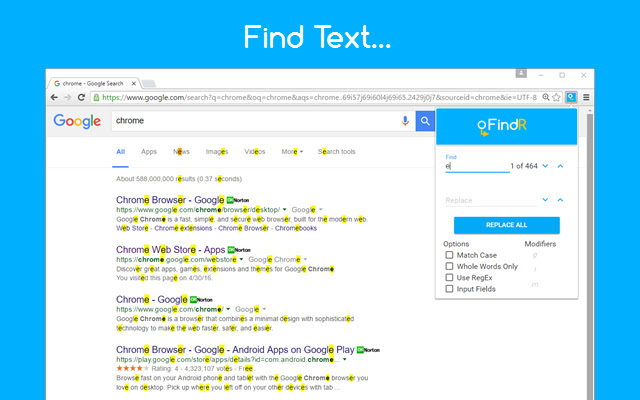
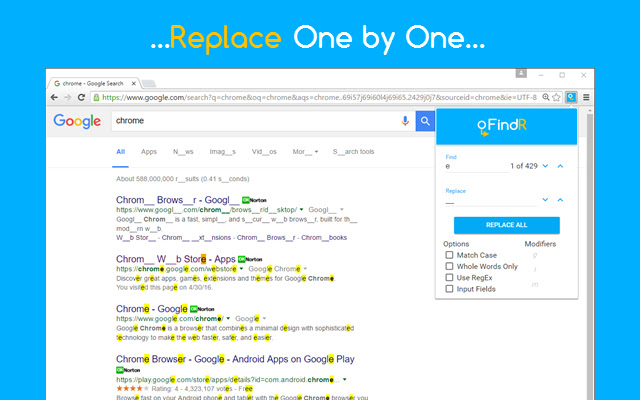
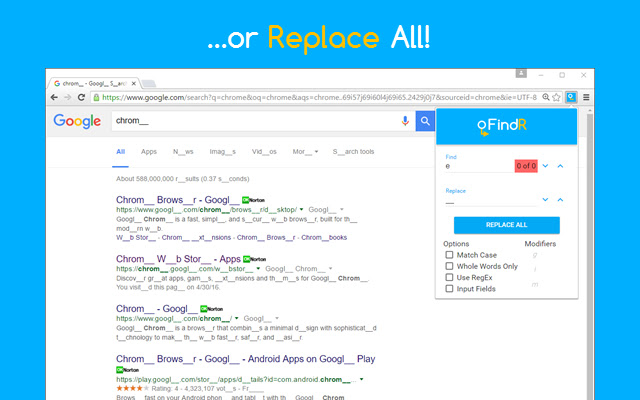
Download FindR-udvidelses-CRX-fil
Download FindR-udvidelsesfiler i crx-format, installer Chrome-udvidelser manuelt i browseren eller del crx-filer med venner for nemt at installere Chrome-udvidelser.
Brugsanvisning til Udvidelsen
FindR is a handy extension that does exactly what the name implies: it finds and replaces words, allowing you to completely change the text of any website. This is great for pranking and trolling and just having fun with funny edits on pages. On a more practical note, it also has an input field option that allows you to easily find and replace all the text in input fields (such as forms, etc.) NOTE: After installation or updates, refresh any previously opened pages to make the extension work. Usage: * As you type a search term, it finds matches on the page. You can replace by typing text in the replace box and either clicking the arrows (replace one by one) or "Replace All" * NEW! An options page that allows users to save find/replace pairs that automatically apply to any new tab. Features: * Case-sensitive search * Full Word search * Regular Expression support for searching * Input Fields allows users to replace text within input fields (note: this only allows "Replace All" - it doesn't highlight matches). * NEW! Automatic find/replace background functionality Shortcut to Open: * Windows/Linux/ChromeOS: Ctrl+Shift+F * OSX: Ctrl+Shift+K Shortcut to Replace All: * Ctrl+Shift+A 03/25/2017: 1000 users! Thanks everyone! Like before, leave any comments, and I'll try and get back to you - make sure to leave a screenshot or detailed info! 01/30/2017: 700 users!! Thanks guys! Be sure to leave any questions, comments, concerns, and I'll be sure to get back to you! 11/20/2016: 400 users! Thank you everyone. See http://xkcd.com/1288/, https://xkcd.com/1625/, or https://xkcd.com/1679/ for funny uses! ----------------- UPDATES ----------------- 1.0.0 - Stable! 1.0.1 - Rebranded to "FindR" - logo and graphics updated 1.0.2 - Bug fixes (,,
Grundlæggende oplysninger om udvidelsen
| Navn |  FindR FindR |
| ID | bidnaaogcagbdidehabnjfedabckhdgc |
| Officiel URL | https://chrome.google.com/webstore/detail/findr/bidnaaogcagbdidehabnjfedabckhdgc |
| Beskrivelse | A find and replace bar for Google Chrome |
| Filstørrelse | 339 KB |
| Antal Installationer | 5,593 |
| Nuværende Version | 1.1.2 |
| Senest Opdateret | 2017-07-23 |
| Udgivelsesdato | 2017-07-23 |
| Bedømmelse | 3.74/5 Samlet 66 Bedømmelser |
| Udvikler | Rahul Yesantharao |
| Udvidelseswebsted | http://www.rahulyesantharao.com |
| Understøttede Sprog | en |
| manifest.json | |
{
"update_url": "https:\/\/clients2.google.com\/service\/update2\/crx",
"manifest_version": 2,
"name": "FindR",
"version": "1.1.2",
"description": "A find and replace bar for Google Chrome",
"icons": {
"16": "icon16.png",
"48": "icon48.png",
"128": "icon128.png"
},
"browser_action": {
"default_icon": {
"19": "icon19.png",
"38": "icon38.png"
},
"default_title": "FindR - click to search!",
"default_popup": "popup.html"
},
"background": {
"scripts": [
"background.js"
],
"persistent": false
},
"content_scripts": [
{
"matches": [
" | |