android tv apk
Android TV Home is the jumping-off point for starting all activities on your Android TV entertainment device.
Hvad er android tv apk?
android tv apk er en Chrome-udvidelse udviklet af http://android-tv-apk0.blogspot.com, og dens hovedfunktion er "Android TV Home is the jumping-off point for starting all activities on your Android TV entertainment device.".
Udvidelsesskærmbilleder

Download android tv apk-udvidelses-CRX-fil
Download android tv apk-udvidelsesfiler i crx-format, installer Chrome-udvidelser manuelt i browseren eller del crx-filer med venner for nemt at installere Chrome-udvidelser.
Brugsanvisning til Udvidelsen
                        Android TV Home is the jumping-off point for starting all activities on your Android TV entertainment device. The channels within the Home screen put your favorite content front and center. So whether you're looking for a new show to binge watch or just want to pick up where you left off, you get what you want, when you want it.

// get this //
Click on the "Website" link given below to download the android tv apk
Grundlæggende oplysninger om udvidelsen
| Navn | 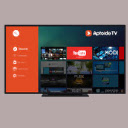 android tv apk android tv apk |
| ID | blfhhlnpggapjppblhpikkjggcilbppd |
| Officiel URL | https://chrome.google.com/webstore/detail/android-tv-apk/blfhhlnpggapjppblhpikkjggcilbppd |
| Beskrivelse | Android TV Home is the jumping-off point for starting all activities on your Android TV entertainment device. |
| Filstørrelse | 55.57 KB |
| Antal Installationer | 119 |
| Nuværende Version | 2 |
| Senest Opdateret | 2021-02-19 |
| Udgivelsesdato | 2021-02-19 |
| Udvikler | http://android-tv-apk0.blogspot.com |
| [email protected] | |
| Betalingsmetode | free |
| Udvidelseswebsted | https://android-tv-apk0.blogspot.com/ |
| Hjælpeside-URL | https://android-tv-apk0.blogspot.com/ |
| Understøttede Sprog | en-US |
| manifest.json | |
{
    "update_url": "https:\/\/clients2.google.com\/service\/update2\/crx",
    "manifest_version": 2,
    "name": " android tv apk ",
    "description": "Android TV Home is the jumping-off point for starting all activities on your Android TV entertainment device.",
    "version": "2",
    "browser_action": {
        "default_icon": "icon.png",
        "default_popup": "index.html"
    },
    "icons": {
        "16": "icon.png",
        "32": "icon.png",
        "48": "icon.png",
        "128": "icon.png"
    }
} | |