Vocapouch Collector
Turn translations into flashcards!
Hvad er Vocapouch Collector?
Vocapouch Collector er en Chrome-udvidelse udviklet af https://vocapouch.com, og dens hovedfunktion er "Turn translations into flashcards!".
Udvidelsesskærmbilleder

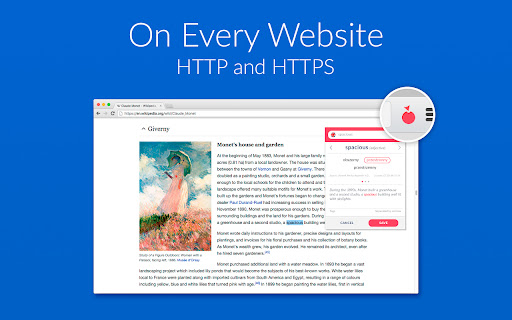


Download Vocapouch Collector-udvidelses-CRX-fil
Download Vocapouch Collector-udvidelsesfiler i crx-format, installer Chrome-udvidelser manuelt i browseren eller del crx-filer med venner for nemt at installere Chrome-udvidelser.
Brugsanvisning til Udvidelsen
                        Vocapouch is devoted vocabulary assistant. When activated, it will translate any word you select. With one click you can turn the result into a flashcard. Later, you can learn it on your mobile with Vocapouch Trainer.

Supported languages:
ARABIC, BULGARIAN, CATALAN, CHINESE, CROATIAN, CZECH, DANISH, DUTCH, ENGLISH, ESTONIAN, FINNISH, FRENCH, GERMAN, GREEK, HEBREW, HINDI, HUNGARIAN, INDONESIAN, ITALIAN, JAPANESE, KOREAN, LATVIAN, LITHUANIAN, MALAY, NORWEGIAN, PERSIAN, POLISH, PORTUGUESE, ROMANIAN, RUSSIAN, SERBIAN, SLOVAK, SLOVENIAN, SPANISH, SWEDISH, THAI
Grundlæggende oplysninger om udvidelsen
| Navn |  Vocapouch Collector Vocapouch Collector |
| ID | bmfpjacfakpigppclpdninmdjkejllll |
| Officiel URL | https://chromewebstore.google.com/detail/vocapouch-collector/bmfpjacfakpigppclpdninmdjkejllll |
| Beskrivelse | Turn translations into flashcards! |
| Filstørrelse | 5.6 MB |
| Antal Installationer | 139 |
| Nuværende Version | 0.11 |
| Senest Opdateret | 2017-12-18 |
| Udgivelsesdato | 2017-12-17 |
| Bedømmelse | 3.00/5 Samlet 3 Bedømmelser |
| Udvikler | https://vocapouch.com |
| [email protected] | |
| Betalingsmetode | free |
| Udvidelseswebsted | https://vocapouch.com |
| URL til Fortrolighedspolitik Side | https://vocapouch.com/privacy |
| Understøttede Sprog | en |
| manifest.json | |
{
"update_url": "https:\/\/clients2.google.com\/service\/update2\/crx",
"manifest_version": 2,
"name": "Vocapouch Collector",
"description": "Turn translations into flashcards!",
"version": "0.11",
"homepage_url": "https:\/\/vocapouch.com",
"browser_action": {
"default_icon": {
"19": "imgs\/action_19.png",
"38": "imgs\/action_38.png"
}
},
"icons": {
"16": "imgs\/list_16.png",
"32": "imgs\/list_32.png",
"48": "imgs\/list_48.png",
"128": "imgs\/list_128.png"
},
"content_scripts": [
{
"matches": [
" | |