Voice Control for Video
Control Netflix and YouTube playback through speech commands
Hvad er Voice Control for Video?
Voice Control for Video er en Chrome-udvidelse udviklet af resay2k, og dens hovedfunktion er "Control Netflix and YouTube playback through speech commands".
Udvidelsesskærmbilleder

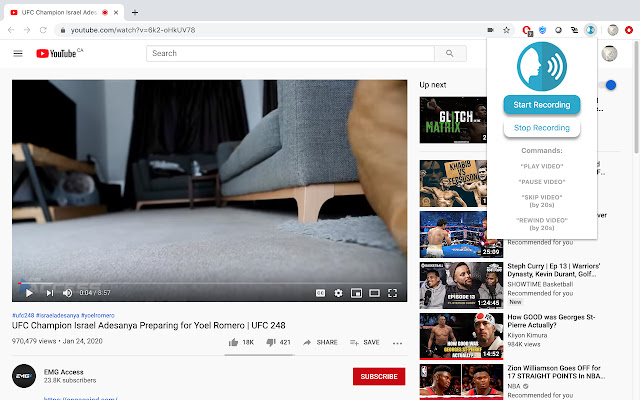
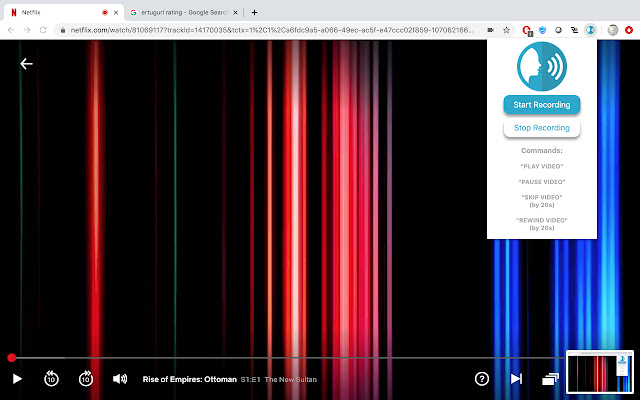
Download Voice Control for Video-udvidelses-CRX-fil
Download Voice Control for Video-udvidelsesfiler i crx-format, installer Chrome-udvidelser manuelt i browseren eller del crx-filer med venner for nemt at installere Chrome-udvidelser.
Brugsanvisning til Udvidelsen
                        Why get your keyboard and mouse dirty while you eat and watch videos?

Click on the start recording button or press CTRL(Command for Mac) + E to start or stop voice control. Use commands like:

"Play Video"
"Pause Video"
"Skip Video"
"Rewind Video"


Built by: Yaser I. Muhammad N. Maanas D. and Aamir Z.
Grundlæggende oplysninger om udvidelsen
| Navn |  Voice Control for Video Voice Control for Video |
| ID | chlidlijeeodennooemopellplaflomd |
| Officiel URL | https://chrome.google.com/webstore/detail/voice-control-for-video/chlidlijeeodennooemopellplaflomd |
| Beskrivelse | Control Netflix and YouTube playback through speech commands |
| Filstørrelse | 45.84 KB |
| Antal Installationer | 211 |
| Nuværende Version | 0.0.1 |
| Senest Opdateret | 2020-02-05 |
| Udgivelsesdato | 2020-02-05 |
| Bedømmelse | 3.75/5 Samlet 8 Bedømmelser |
| Udvikler | resay2k |
| [email protected] | |
| Betalingsmetode | free |
| Understøttede Sprog | en |
| manifest.json | |
{
"update_url": "https:\/\/clients2.google.com\/service\/update2\/crx",
"name": "Voice Control for Video",
"version": "0.0.1",
"description": "Control Netflix and YouTube playback through speech commands",
"permissions": [
"notifications",
"activeTab",
"declarativeContent",
"storage"
],
"background": {
"scripts": [
"background.js"
],
"persistent": false
},
"browser_action": {
"default_title": "Ctrl + E to start or stop voice control",
"default_popup": "popup.html",
"default_icon": {
"16": "images\/voice16.png",
"32": "images\/voice32.png",
"48": "images\/voice48.png",
"128": "images\/voice128.png"
}
},
"icons": {
"16": "images\/voice16.png",
"32": "images\/voice32.png",
"48": "images\/voice48.png",
"128": "images\/voice128.png"
},
"content_scripts": [
{
"js": [
"content.js"
],
"matches": [
" | |