Accupix
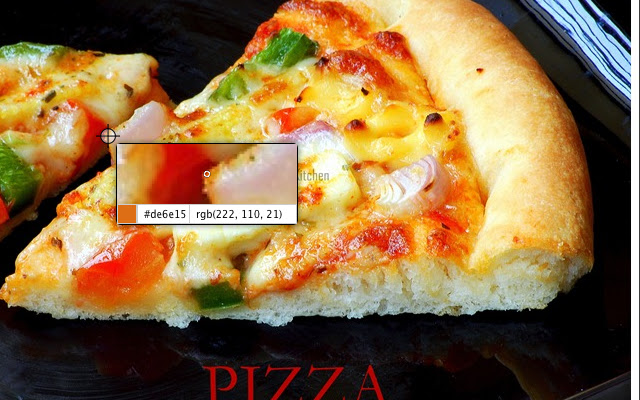
Provides an intuitive eyedropper to pick colors from webpages by providing a zoomed preview of the portion mouse points to.
Hvad er Accupix?
Accupix er en Chrome-udvidelse udviklet af Sridhar PG, og dens hovedfunktion er "Provides an intuitive eyedropper to pick colors from webpages by providing a zoomed preview of the portion mouse points to.".
Udvidelsesskærmbilleder


Download Accupix-udvidelses-CRX-fil
Download Accupix-udvidelsesfiler i crx-format, installer Chrome-udvidelser manuelt i browseren eller del crx-filer med venner for nemt at installere Chrome-udvidelser.
Brugsanvisning til Udvidelsen
                        Eyedropper for Google Chrome. The extension also automatically copies the selected hex color code value to clipboard.

Some of the shortcuts that will come handy:

- Use Scroll to Zoom In/Out
- Use Arrow keys to move the cursor to precisely match the required pixel
- Enter key picks the pixel
- Esc closes the picker

For Issues or Feature requests, mail to: [email protected]
Grundlæggende oplysninger om udvidelsen
| Navn |  Accupix Accupix |
| ID | cnoeecignnjfddobmijconiockefppbg |
| Officiel URL | https://chrome.google.com/webstore/detail/accupix/cnoeecignnjfddobmijconiockefppbg |
| Beskrivelse | Provides an intuitive eyedropper to pick colors from webpages by providing a zoomed preview of the portion mouse points to. |
| Filstørrelse | 68.4 KB |
| Antal Installationer | 243 |
| Nuværende Version | 1.4.1 |
| Senest Opdateret | 2014-01-02 |
| Udgivelsesdato | 2014-01-02 |
| Bedømmelse | 2.23/5 Samlet 13 Bedømmelser |
| Udvikler | Sridhar PG |
| [email protected] | |
| Betalingsmetode | free |
| Understøttede Sprog | en |
| manifest.json | |
{
"update_url": "https:\/\/clients2.google.com\/service\/update2\/crx",
"name": "Accupix",
"version": "1.4.1",
"manifest_version": 2,
"background": {
"page": "bg\/background.html"
},
"browser_action": {
"default_icon": "images\/picker_32.png",
"default_title": "Color Picker"
},
"content_scripts": [
{
"css": [
"content\/content.css"
],
"js": [
"tp\/jquery.js",
"tp\/jquery.ba-throttle-debounce.js",
"content\/content.js"
],
"matches": [
" | |