Moo.do
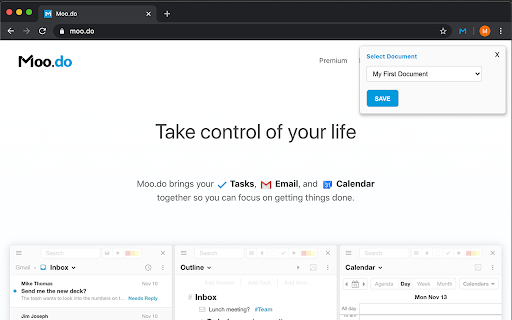
Moo.do brings your Tasks, Email, and Calendar together so you can focus on getting things done.
Hvad er Moo.do?
Moo.do er en Chrome-udvidelse udviklet af https://moo.do, og dens hovedfunktion er "Moo.do brings your Tasks, Email, and Calendar together so you can focus on getting things done.".
Udvidelsesskærmbilleder
Download Moo.do-udvidelses-CRX-fil
Download Moo.do-udvidelsesfiler i crx-format, installer Chrome-udvidelser manuelt i browseren eller del crx-filer med venner for nemt at installere Chrome-udvidelser.
Brugsanvisning til Udvidelsen
This extension augments your Gmail to save emails into Moo.do, and adds a toolbar button to save the current page to Moo.do. Grundlæggende oplysninger om udvidelsen
| Navn |  Moo.do Moo.do |
| ID | dfphnckjoinkfflhfbnjoiggfflnekcb |
| Officiel URL | https://chromewebstore.google.com/detail/moodo/dfphnckjoinkfflhfbnjoiggfflnekcb |
| Beskrivelse | Moo.do brings your Tasks, Email, and Calendar together so you can focus on getting things done. |
| Filstørrelse | 211 KB |
| Antal Installationer | 228 |
| Nuværende Version | 1.0.4 |
| Senest Opdateret | 2021-01-23 |
| Udgivelsesdato | 2020-04-04 |
| Bedømmelse | 5.00/5 Samlet 1 Bedømmelser |
| Udvikler | https://moo.do |
| [email protected] | |
| Betalingsmetode | free |
| Udvidelseswebsted | https://www.moo.do |
| Hjælpeside-URL | https://www.moo.do |
| URL til Fortrolighedspolitik Side | https://www.moo.do/privacy |
| Understøttede Sprog | en-US |
| manifest.json | |
{
    "update_url": "https:\/\/clients2.google.com\/service\/update2\/crx",
    "name": "Moo.do",
    "author": "Moo.do",
    "version": "1.0.4",
    "description": "Moo.do brings your Tasks, Email, and Calendar together so you can focus on getting things done.",
    "icons": {
        "128": "assets\/icon-128.png"
    },
    "content_security_policy": "script-src 'self' 'unsafe-eval'; object-src 'self'",
    "permissions": [
        "activeTab",
        "storage",
        "https:\/\/mail.google.com\/",
        "https:\/\/inbox.google.com\/"
    ],
    "manifest_version": 2,
    "background": {
        "scripts": [
            "background.js"
        ],
        "persistent": true
    },
    "browser_action": {
        "default_title": "Save to Moo.do",
        "default_icon": "assets\/icon-blue.png"
    },
    "web_accessible_resources": [
        "iframe.html",
        "assets\/icon-128.png"
    ],
    "options_ui": {
        "page": "options.html",
        "open_in_tab": true
    },
    "content_scripts": [
        {
            "matches": [
                "https:\/\/mail.google.com\/*",
                "https:\/\/inbox.google.com\/*"
            ],
            "js": [
                "assets\/inboxsdk.js",
                "gmail.js"
            ],
            "css": [
                "assets\/styles.css"
            ],
            "run_at": "document_end"
        }
    ]
} | |