View webpage as TXT
Chrome Extension to open web pages with w3.org html2txt
Hvad er View webpage as TXT?
View webpage as TXT er en Chrome-udvidelse udviklet af Chris Love, og dens hovedfunktion er "Chrome Extension to open web pages with w3.org html2txt".
Udvidelsesskærmbilleder

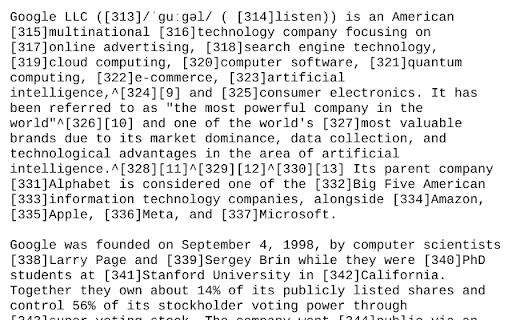
Download View webpage as TXT-udvidelses-CRX-fil
Download View webpage as TXT-udvidelsesfiler i crx-format, installer Chrome-udvidelser manuelt i browseren eller del crx-filer med venner for nemt at installere Chrome-udvidelser.
Brugsanvisning til Udvidelsen
                        Simple open source extension to view the current web-page or the selected link rendered as text using the w3.org html2txt webpage.

This enables you to quickly view a web-page rendered as text along with a list of the urls from the web-page. This saves manually going to https://www.w3.org/services/html2txt and manually entering the url you want to view as text.

Three ways to use:
- Open link in the w3.org html2txt web-page: Right hand click on a link and select "View link as txt".
- Open the URL of the current tab in the w3.org html2txt web-page: Right hand click on a blank area of the current web-page and select "View page as txt".
- Open the URL of the current tab in the w3.org html2txt web-page: Click on the "View webpage as TXT" icon in the extension toolbar.

Source code available from https://github.com/clove3am/chrome-html-to-txt
Grundlæggende oplysninger om udvidelsen
| Navn |  View webpage as TXT View webpage as TXT |
| ID | edcoejgkliiafkkoolfdmfnfbbmcaheg |
| Officiel URL | https://chromewebstore.google.com/detail/view-webpage-as-txt/edcoejgkliiafkkoolfdmfnfbbmcaheg |
| Beskrivelse | Chrome Extension to open web pages with w3.org html2txt |
| Filstørrelse | 6.25 KB |
| Antal Installationer | 45 |
| Nuværende Version | 1.0 |
| Senest Opdateret | 2023-06-24 |
| Udgivelsesdato | 2023-05-23 |
| Udvikler | Chris Love |
| [email protected] | |
| Betalingsmetode | free |
| Udvidelseswebsted | https://github.com/clove3am/chrome-html-to-txt |
| Hjælpeside-URL | https://github.com/clove3am/chrome-html-to-txt/issues |
| Understøttede Sprog | en |
| manifest.json | |
{
    "update_url": "https:\/\/clients2.google.com\/service\/update2\/crx",
    "manifest_version": 3,
    "name": "View webpage as TXT",
    "version": "1.0",
    "description": "Chrome Extension to open web pages with w3.org html2txt",
    "minimum_chrome_version": "88",
    "permissions": [
        "contextMenus",
        "activeTab"
    ],
    "icons": {
        "16": "logo.png",
        "128": "logo128.png"
    },
    "action": {
        "default_icon": {
            "16": "logo.png"
        }
    },
    "background": {
        "service_worker": "background.js"
    }
} | |