Shiny Picture in picture
Picture in picture mode (pip mode) for web videos
Hvad er Shiny Picture in picture?
Shiny Picture in picture er en Chrome-udvidelse udviklet af Ludmila Kirka, og dens hovedfunktion er "Picture in picture mode (pip mode) for web videos".
Udvidelsesskærmbilleder
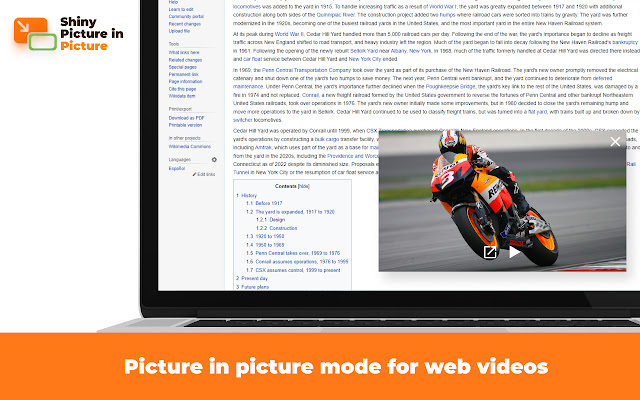
Download Shiny Picture in picture-udvidelses-CRX-fil
Download Shiny Picture in picture-udvidelsesfiler i crx-format, installer Chrome-udvidelser manuelt i browseren eller del crx-filer med venner for nemt at installere Chrome-udvidelser.
Brugsanvisning til Udvidelsen
                        Shiny Picture in Picture enables picture in picture mode on almost any video website.
The PiP mode means that the video continues playing in the always-on-top floating video player. You can switch to another tab.
Please note: the original tab with the video player should remain open.
You can activate the app from:

Start a video in the tab > Browser toolbar > 🧩 Puzzle button > Shiny Picture in picture icon
On major platforms (such as Youtube), you can find a "Picture in picture" control inside the video player.
Grundlæggende oplysninger om udvidelsen
| Navn |  Shiny Picture in picture Shiny Picture in picture |
| ID | fgcblhknnefmaahoilpndlidpnahnfkh |
| Officiel URL | https://chrome.google.com/webstore/detail/shiny-picture-in-picture/fgcblhknnefmaahoilpndlidpnahnfkh |
| Beskrivelse | Picture in picture mode (pip mode) for web videos |
| Filstørrelse | 120 KB |
| Antal Installationer | 2,136,234 |
| Nuværende Version | 0.4.1.0 |
| Senest Opdateret | 2023-05-04 |
| Udgivelsesdato | 2022-09-12 |
| Bedømmelse | 4.20/5 Samlet 10 Bedømmelser |
| Udvikler | Ludmila Kirka |
| [email protected] | |
| Betalingsmetode | free |
| URL til Fortrolighedspolitik Side | https://docs.google.com/document/d/e/2PACX-1vSS6CSv0s4xoEEh8r9kdiinMRvvjzmY8RTOXmAeCKNnY2xHPPYhZZ6s_C2Wg2wXYhdTn5pDFLBAdCko/pub |
| Understøttede Sprog | id,ms,de,en,en-GB,en-US,fil,fr,nl,no,vi,tr,ca,da,et,es,es-419,hr,it,lv,lt,hu,pl,pt-BR,pt-PT,ro,sk,sl,fi,sv,cs,el,sr,bg,ru,uk,mr,hi,bn,gu,ta,te,ml,th,zh-CN,zh-TW,ja,ko |
| manifest.json | |
{
"update_url": "https:\/\/clients2.google.com\/service\/update2\/crx",
"author": "__MSG_extName__",
"background": {
"service_worker": "js\/background.js"
},
"action": {
"default_icon": {
"16": "icons\/icon16.png",
"48": "icons\/icon48.png",
"128": "icons\/icon128.png",
"300": "icons\/icon300.png"
},
"default_title": "__MSG_badgeTitle__"
},
"content_scripts": [
{
"matches": [
"http:\/\/*\/*",
"https:\/\/*\/*"
],
"js": [
"js\/content.js"
],
"all_frames": true,
"match_about_blank": true,
"run_at": "document_start"
}
],
"default_locale": "en",
"description": "__MSG_extShortDesc__",
"icons": {
"16": "icons\/icon16.png",
"48": "icons\/icon48.png",
"128": "icons\/icon128.png",
"300": "icons\/icon300.png"
},
"incognito": "split",
"manifest_version": 3,
"minimum_chrome_version": "95.0",
"name": "__MSG_extName__",
"permissions": [
"storage",
"scripting",
"alarms"
],
"host_permissions": [
" | |