OSlash - Text Expander and Keyboard Shortcut
Find, access, and share links & snippets blazingly fast
Hvad er OSlash - Text Expander and Keyboard Shortcut?
OSlash - Text Expander and Keyboard Shortcut er en Chrome-udvidelse udviklet af http://oslash.com, og dens hovedfunktion er "Find, access, and share links & snippets blazingly fast".
Udvidelsesskærmbilleder


Download OSlash - Text Expander and Keyboard Shortcut-udvidelses-CRX-fil
Download OSlash - Text Expander and Keyboard Shortcut-udvidelsesfiler i crx-format, installer Chrome-udvidelser manuelt i browseren eller del crx-filer med venner for nemt at installere Chrome-udvidelser.
Brugsanvisning til Udvidelsen
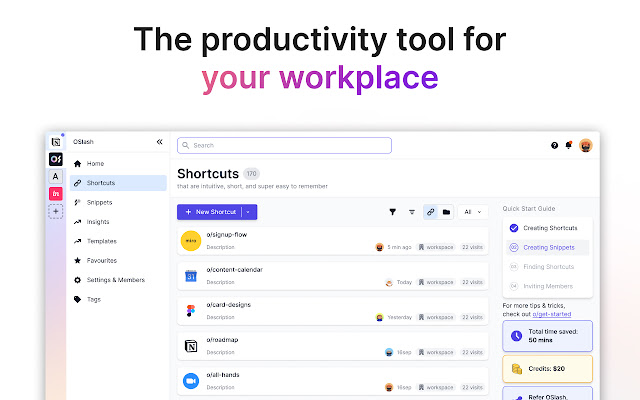
                        OSlash is free, top-rated Text Expander and Custom Keyboard Shortcut for you and your team.

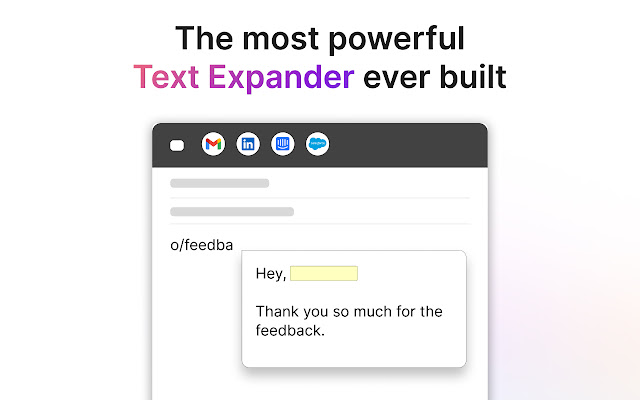
Using OSlash Text Expander, insert text templates everywhere you work in apps such as Gmail, LinkedIn, Intercom, and Google Docs.

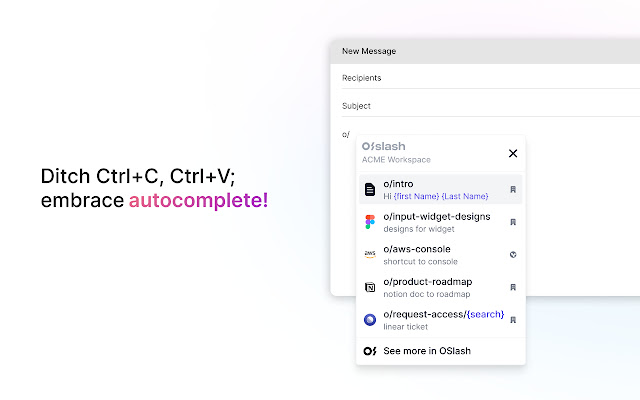
Use OSlash Keyboard Shortcut to create shortcuts for all your Google workplace links and other apps such as o/mail, o/doc, o/sheet, o/slide, etc.

Featured as the #1 Text Expander and Custom Keyboard Shortcut app in
 - Fortune
 - Fast Company
 - PC Mag
 - Tech Republic
 - MarketWatch
Grundlæggende oplysninger om udvidelsen
| Navn |  OSlash - Text Expander and Keyboard Shortcut OSlash - Text Expander and Keyboard Shortcut |
| ID | gpljeioabgadbidbkcbhjjglpinfhmal |
| Officiel URL | https://chrome.google.com/webstore/detail/oslash-text-expander-and/gpljeioabgadbidbkcbhjjglpinfhmal |
| Beskrivelse | Find, access, and share links & snippets blazingly fast |
| Filstørrelse | 3.43 MB |
| Antal Installationer | 3,527 |
| Nuværende Version | 2.32.0 |
| Senest Opdateret | 2023-04-13 |
| Udgivelsesdato | 2021-09-19 |
| Bedømmelse | 4.57/5 Samlet 23 Bedømmelser |
| Udvikler | http://oslash.com |
| [email protected] | |
| Betalingsmetode | free |
| Udvidelseswebsted | https://www.oslash.com/ |
| Hjælpeside-URL | https://www.oslash.com/help-center |
| URL til Fortrolighedspolitik Side | https://oslash.com/privacy-policy |
| Understøttede Sprog | en-US |
| manifest.json | |
{
"update_url": "https:\/\/clients2.google.com\/service\/update2\/crx",
"manifest_version": 2,
"name": "OSlash - Text Expander and Keyboard Shortcut",
"version": "2.32.0",
"description": "Find, access, and share links & snippets blazingly fast",
"icons": {
"16": "assets\/icons\/icon16.png",
"48": "assets\/icons\/icon48.png",
"128": "assets\/icons\/icon128.png"
},
"web_accessible_resources": [
"*.js",
"*.css",
"launcher\/launcher.html",
"oauth\/index.html",
"popup\/index.html",
"popup\/remote-index.html",
"recommendation\/recommendation.html",
"snippet\/snippet-form.html",
"shortcut\/shortcut-form.html",
"assets\/*",
"saa\/index.html",
"form\/index.html"
],
"background": {
"page": "background\/index.html",
"persistent": true
},
"browser_action": {
"default_icon": "assets\/icons\/icon48.png",
"default_title": "OSlash",
"default_popup": "popup\/remote-index.html"
},
"homepage_url": "https:\/\/app.oslash.com",
"content_scripts": [
{
"matches": [
"*:\/\/*.google.com\/search?*",
"*:\/\/*.google.com\/search?*q=o\/*",
"*:\/\/*.google.com\/search?*q=o%2F*",
"*:\/\/*.google.com\/search?q=o\/*",
"*:\/\/*.google.com\/search?q=o%2F*",
"*:\/\/*.google.com\/search?*q=m\/*",
"*:\/\/*.google.com\/search?*q=m%2F*",
"*:\/\/*.google.com\/search?q=m\/*",
"*:\/\/*.google.com\/search?q=m%2F*",
"*:\/\/*.google.com\/search*"
],
"js": [
"complementaryInstaller.js"
]
},
{
"matches": [
" | |