Fauxbar
An alternative to Chrome's Omnibox. Replaces the New Tab page.
Hvad er Fauxbar?
Fauxbar er en Chrome-udvidelse udviklet af Chris McFarland, og dens hovedfunktion er "An alternative to Chrome's Omnibox. Replaces the New Tab page.".
Udvidelsesskærmbilleder







Download Fauxbar-udvidelses-CRX-fil
Download Fauxbar-udvidelsesfiler i crx-format, installer Chrome-udvidelser manuelt i browseren eller del crx-filer med venner for nemt at installere Chrome-udvidelser.
Brugsanvisning til Udvidelsen
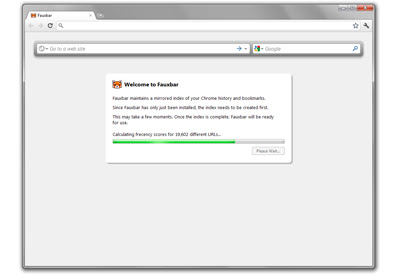
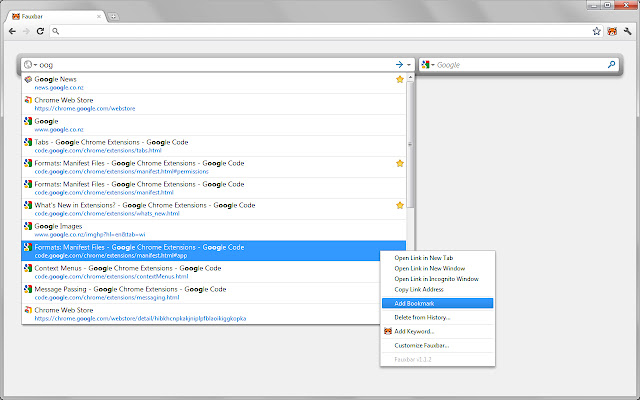
                        Fauxbar makes Chrome's New Tab page act like classic Firefox's Awesome Bar:
 • Quickly find the history page, tab or bookmark you're after
 • Results are ranked using Mozilla's frecency algorithm, just like Firefox
 • Add and use your favorite websites' search engines with ease
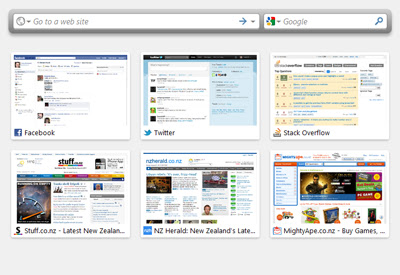
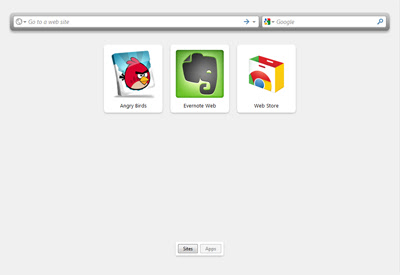
 • Show tiled thumbnails for your top websites and installed Chrome apps

To use Fauxbar, simply open a new tab, or click the orange Fauxbar icon beside Chrome's Omnibox, or focus the Omnibox and press F+Spacebar.

What's the difference between Fauxbar and Fauxbar Lite? -- Fauxbar replaces Chrome's New Tab page; Fauxbar Lite does not.

If you'd rather keep Chrome's New Tab page as is, please install Fauxbar Lite instead: https://chrome.google.com/webstore/detail/bfimmnpbjccjihohjkimphfmmebffbmk

For Fauxbar's source code, please visit https://github.com/ChrisNZL/Fauxbar

Features include:

Address Box:
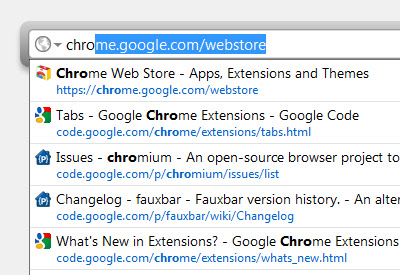
 • Accurately find your history items, bookmarks, and opened tabs
 • Results are ranked using Mozilla's frecency algorithm, just like Firefox
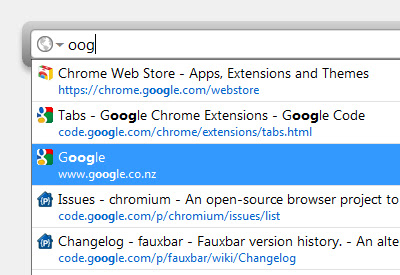
 • Full support for mid-word searching and non-alphanumeric characters
 • Consistent URL auto-fill / auto-complete
 • Intelligent page pre-rendering
 • Keyword shortcuts for your favorite websites
 • Right-click options such as Add/Edit Bookmark, and Add/Edit Keyword
 • Paste & Go
 • Search engine keyword shortcuts
 • URL blacklist
 • Switch to tab functionality

Search Box and search engines:
 • Right-click on search fields on your favorite websites to add them as Fauxbar search engines
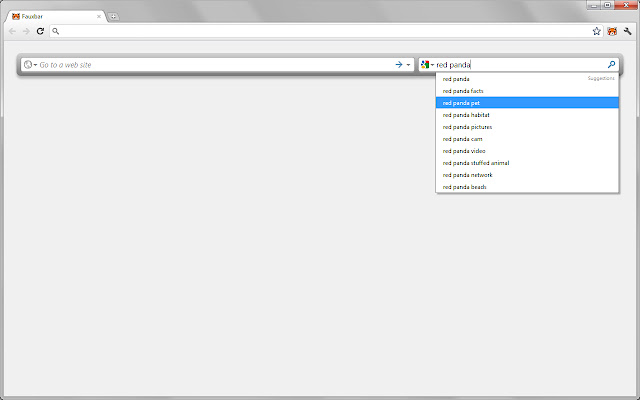
 • Use your favorite search engines with the dedicated Search Box, or hide the Search Box and just use search engines from the Address Box
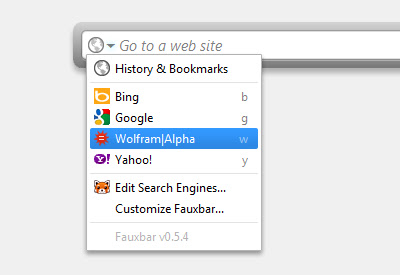
 • Assign keywords to search engines for quick access, or click a menu for a visual list of your search engines
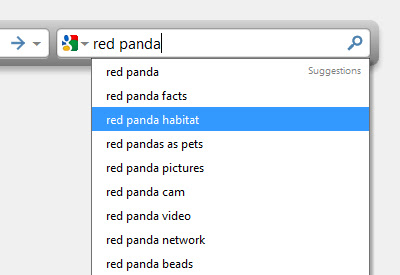
 • Suggestions can be displayed as you type your query (suggestions from the selected search engine will be retrieved where available)
 • Paste & Search
 • Supports OpenSearch detection

Tiles:
 • Show tiles for your favorite websites with screenshot thumbnails
 • Let Fauxbar choose site tiles for you, or manually choose them yourself
 • Click and drag site tiles to rearrange

Other features:
 • Omnibox integration: type F+Spacebar to access Fauxbar without leaving the page you're on
 • Override Chrome's Alt+D, Ctrl+L and Ctrl+K commands with Fauxbar's equivalents
 • Choose font names, sizes, colors and background image
 • Let Fauxbar take focus away from Chrome's Omnibox automatically, or keep it as is
 • Choose the number of results to display at a time
 • Comes preset with Google, DuckDuckGo, Yahoo!, and Bing
 • Delete a URL from Chrome's history right from Fauxbar without having to open Chrome's History page
 • Alter the frecency algorithm's scoring if desired
 • More than 60 different configurable options
 • Backup, restore, and/or reset Fauxbar's options with ease

Fauxbar is not affiliated with Google, Chrome, Mozilla, Firefox, or the original AwesomeBar.

====

Recent changes:

14 June 2019 – v1.8.1

• Fixed a database locking issue that was introduced in Chrome 75.
• Slightly increased Address Box result padding.
• Added info when prompting to add an Address Box result keyword.
• Updated suggested keyboard shortcuts.
Grundlæggende oplysninger om udvidelsen
| Navn |  Fauxbar Fauxbar |
| ID | hibkhcnpkakjniplpfblaoikiggkopka |
| Officiel URL | https://chrome.google.com/webstore/detail/fauxbar/hibkhcnpkakjniplpfblaoikiggkopka |
| Beskrivelse | An alternative to Chrome's Omnibox. Replaces the New Tab page. |
| Filstørrelse | 328 KB |
| Antal Installationer | 4,351 |
| Nuværende Version | 1.8.1 |
| Senest Opdateret | 2019-06-13 |
| Udgivelsesdato | 2019-06-13 |
| Bedømmelse | 4.23/5 Samlet 188 Bedømmelser |
| Udvikler | Chris McFarland |
| Udvidelseswebsted | https://github.com/ChrisNZL/Fauxbar |
| Hjælpeside-URL | https://github.com/ChrisNZL/Fauxbar/wiki |
| Understøttede Sprog | en |
| manifest.json | |
{
"update_url": "https:\/\/clients2.google.com\/service\/update2\/crx",
"name": "Fauxbar",
"version": "1.8.1",
"description": "An alternative to Chrome's Omnibox. Replaces the New Tab page.",
"minimum_chrome_version": "49",
"background": {
"scripts": [
"\/js\/jquery-1.7.min.js",
"\/js\/common.js",
"\/js\/common-1.js",
"\/js\/logerror.js",
"\/js\/md5-min.js",
"\/js\/background-new.js"
],
"persistent": true
},
"options_page": "html\/launchoptions.html",
"chrome_url_overrides": {
"newtab": "html\/fauxbar.html#newTab"
},
"browser_action": {
"default_title": "Open Fauxbar",
"default_icon": "img\/fauxbar19.png"
},
"commands": {
"addressBoxCurrentTab": {
"suggested_key": {
"default": "Alt+D"
},
"description": "Open Fauxbar's Address Box in the current tab"
},
"addressBoxNewTab": {
"suggested_key": {
"default": "Ctrl+T"
},
"description": "Open Fauxbar's Address Box in a new tab"
},
"searchBoxCurrentTab": {
"suggested_key": {
"default": "Ctrl+K"
},
"description": "Open Fauxbar's Search Box in the current tab"
},
"searchBoxNewTab": {
"suggested_key": {
"default": "Ctrl+Shift+K"
},
"description": "Open Fauxbar's Search Box in a new tab"
}
},
"manifest_version": 2,
"content_security_policy": "default-src 'self'; script-src 'self' https:\/\/platform.twitter.com; style-src 'self' 'unsafe-inline'; img-src 'self' http: https: data: chrome: filesystem:; connect-src 'self' http: https: chrome-extension:; frame-src http: https:",
"content_scripts": [
{
"matches": [
" | |