Pacman Popup
Play original pacman games in one click. Game opens in browser popup window
Hvad er Pacman Popup?
Pacman Popup er en Chrome-udvidelse udviklet af mereshkova1988, og dens hovedfunktion er "Play original pacman games in one click. Game opens in browser popup window".
Udvidelsesskærmbilleder

Download Pacman Popup-udvidelses-CRX-fil
Download Pacman Popup-udvidelsesfiler i crx-format, installer Chrome-udvidelser manuelt i browseren eller del crx-filer med venner for nemt at installere Chrome-udvidelser.
Brugsanvisning til Udvidelsen
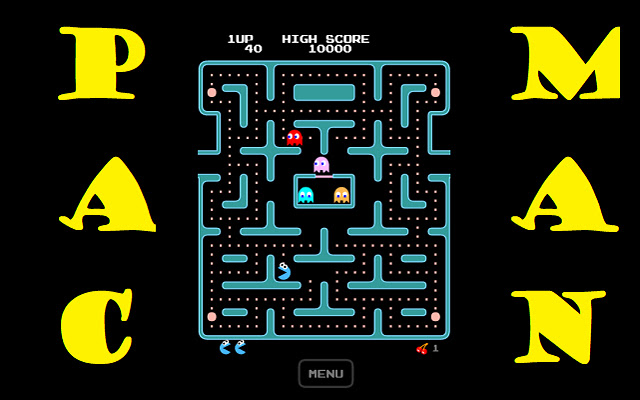
In Pac-Man, the player moves within a maze to end the yellow discs. The goal is to collect all the small disks by escaping the ghosts and monsters, and then going to the next stage when they collect all the disks. Collecting fruits appearing on the maze gives the player extra points. When they take the big yellow discs, the monsters and ghosts turn blue and become edible for a while. Grundlæggende oplysninger om udvidelsen
| Navn |  Pacman Popup Pacman Popup |
| ID | hmcoiagnmbaapppjhkfpdienclnkgapd |
| Officiel URL | https://chrome.google.com/webstore/detail/pacman-popup/hmcoiagnmbaapppjhkfpdienclnkgapd |
| Beskrivelse | Play original pacman games in one click. Game opens in browser popup window |
| Filstørrelse | 1.11 MB |
| Antal Installationer | 218 |
| Nuværende Version | 3.9.2021.1 |
| Senest Opdateret | 2021-09-06 |
| Udgivelsesdato | 2021-09-06 |
| Udvikler | mereshkova1988 |
| [email protected] | |
| Betalingsmetode | free |
| URL til Fortrolighedspolitik Side | https://sites.google.com/view/terms-and-policies |
| Understøttede Sprog | en |
| manifest.json | |
{
    "update_url": "https:\/\/clients2.google.com\/service\/update2\/crx",
    "name": "Pacman Popup",
    "version": "3.9.2021.1",
    "description": "Play original pacman games in one click. Game opens in browser popup window",
    "manifest_version": 2,
    "browser_action": {
        "default_title": "Pacman in popup",
        "default_popup": "index.html",
        "default_icon": {
            "16": "app\/style\/graphics\/logo16.png",
            "48": "app\/style\/graphics\/logo48.png",
            "128": "app\/style\/graphics\/logo128.png"
        }
    },
    "icons": {
        "16": "app\/style\/graphics\/logo16.png",
        "48": "app\/style\/graphics\/logo48.png",
        "128": "app\/style\/graphics\/logo128.png"
    }
} | |